Free tutoring invoice template
Invoice parents for a block of sessions — each one dated, with the subject and length — plus materials and your cancellation terms. Free PDF, no signup.
| Description | Qty | Rate | Tax | Amount | |
|---|---|---|---|---|---|
| $0.00 |
| Subtotal | $0.00 |
| Total | $0.00 |
Email this invoice
Sends a PDF attachment to your client. Replies come back to you.
Save your invoice — for free
Create a free account (or log in) to keep billing without starting over.
New here? We’ll create your account automatically.
Your invoice is downloading
Check your downloads folder for 20260812_INV-0001.pdf. Thanks for using BillCrafter!
Sign this invoice
Draw your signature below. It’s embedded into the PDF and stored with a signing record.
My invoices
Click Save to store the current one.
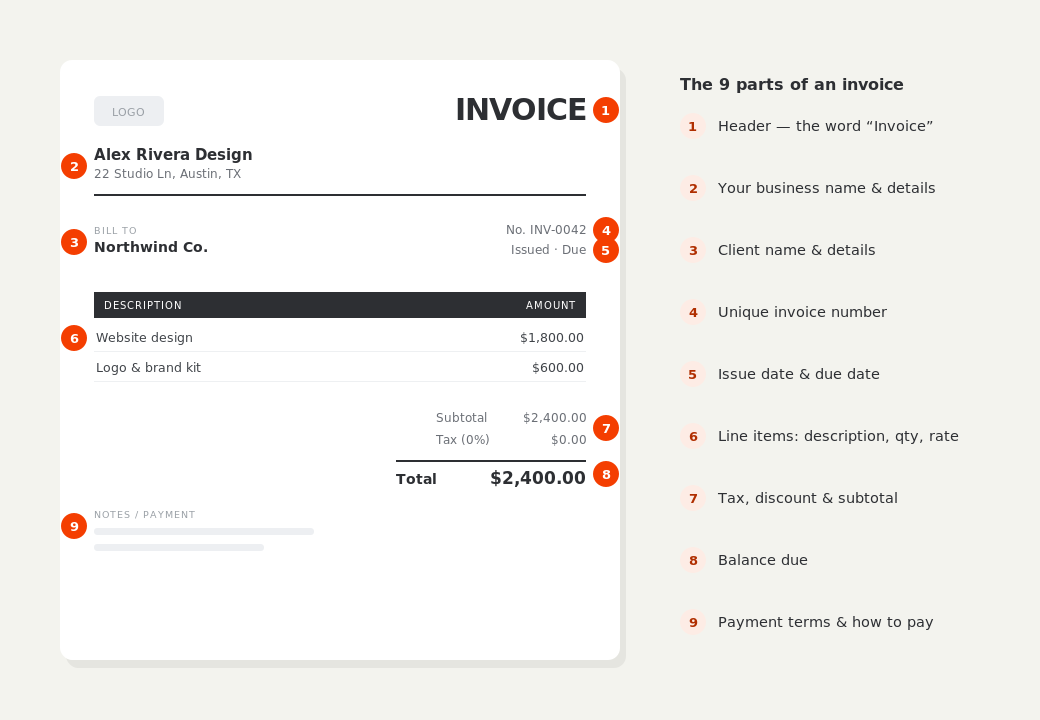
The parts of an invoice, labelled.
A complete invoice has nine parts. The editor above has a field for every one — here's where each sits on the finished document.
What to put on this invoice.
Miss one of these and the document usually comes back with a question attached. Everything here is a field in the editor above.
- The student's name, and the parent or payer's details
- Each session dated, with subject and length
- Your hourly or per-session rate
- Materials or exam fees, listed separately
- Your cancellation and rescheduling policy
- Any package or block-booking discount applied
List the sessions, don't summarise them
“8 sessions — $440” is a number; eight dated lines naming the topic covered is a report a parent can read, and it quietly demonstrates that the time was structured rather than improvised. It also resolves the most common billing question in tutoring, which is whether a particular week's session happened at all. If a session ran long or short, the hours column carries it honestly — 1.5 where a session overran by half an hour, with the reason in the detail line.
Put the cancellation policy on every invoice
Late cancellations are the friction point in tutoring, and a policy that lives only in a first-day email gets forgotten by week six. A single line in the notes — sessions cancelled with less than 24 hours' notice are charged in full — is enough, and having it printed on the document you're asking money for makes the charge unremarkable when it eventually applies. Credit your own cancellations visibly too; it costs one line and buys a lot of goodwill.
Bill in blocks, and make the discount visible
Most tutors bill a block of sessions at the end of a period rather than one at a time, which is less admin for both sides and better for your cash flow. If you discount block bookings or sibling rates, show it as a discount line rather than a quietly reduced rate — the parent sees the saving they were promised, and your standard rate stays intact for the next enquiry.
Tutoring invoice template — common questions.
Should I bill per session or per month?
A block of sessions billed at the end of a period is the norm and the easiest to reconcile. Monthly works well for steady schedules; per-session invoicing creates a lot of small documents and slows you down for no gain.
Do I charge for a session a student misses?
Most tutors charge in full for cancellations inside 24 hours and credit anything cancelled earlier, on the basis that the slot could have been filled. Whatever your rule, print it on the invoice — it's much easier to apply a policy the parent has already read.
Do I need to register a business to tutor?
You can invoice under your own name as a self-employed tutor in most places. Income is still taxable, so keep every invoice you issue. If you work with children, check what background checks or registration your country or state requires — that's separate from the billing question.
BillCrafter is a document tool, not an accounting or legal service. Tax and contract rules vary by country and state — check anything material with a qualified professional.
What the official guidance says
“Your invoice must include a unique identification number, your company name, address and contact information [and] the total amount owed.”
— GOV.UK, “Invoices — what they must include”
Requirements differ by country, but the essentials are consistent: a unique invoice number, the seller and the buyer, an itemized description, the amount due, and clear payment terms. Every BillCrafter template is built around those fields. The primary sources we follow are below.
- GOV.UK — Invoicing and taking payment from customers — The UK government’s list of what every invoice must legally include.
- IRS — Recordkeeping for small business — US guidance on the invoices and receipts you should keep, and for how long.
- U.S. Small Business Administration — Manage your finances — Bookkeeping, accounts receivable and getting paid as a small business.
Other documents you can create free.
Make one now. Sign in to keep it.
Tutors bill a family for sessions delivered over a few weeks. Listing each session with its date and subject turns an invoice into a record of the work, which is exactly what a parent paying for their child's lessons wants to see.
1 · Make your first invoice free
Start typing on the document right now — no account, no card, nothing to install. Fill in your details and download a polished PDF in under two minutes. Your first export is on us.
2 · Sign in and it’s saved
A free account keeps your business details, clients and every past invoice in the cloud — so the next one takes seconds, from any device. Free accounts get 5 exports a month.
3 · Pick from 45 templates
Eight distinct layouts, twelve accent colors, and presets for freelance, contracting, consulting, photography and more — plus estimates, quotes and receipts. Browse the library.
Three steps to a paid invoice.
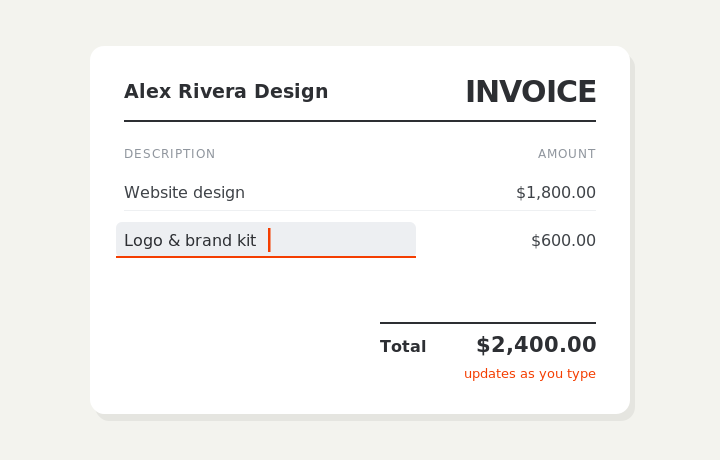
Type on the invoice
Fill in your business, client, and line items right on the document. Totals and tax calculate live as you type.
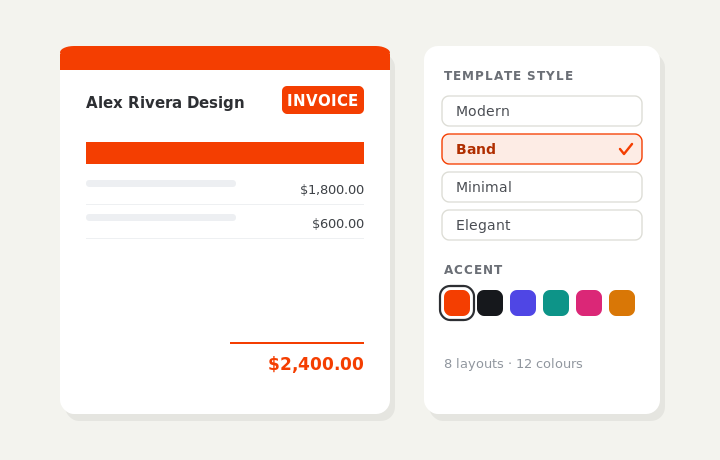
Customize & preview
Upload your logo, pick one of eight layouts and a color — the invoice you see is exactly what downloads.
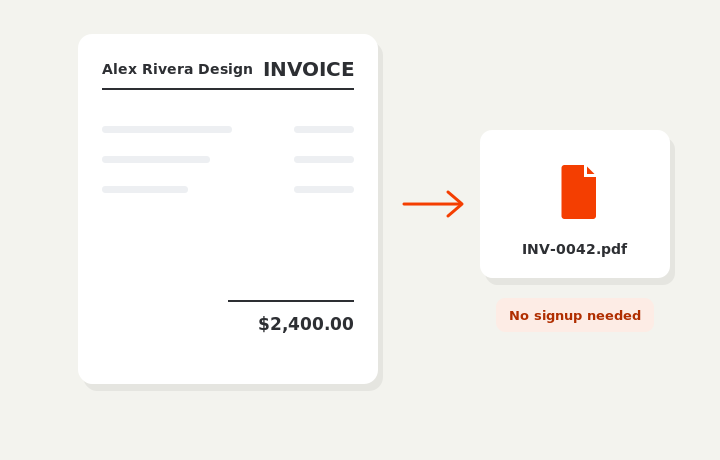
Download or send
Download a clean PDF, or sign in and email it straight to your client.