Free estimate generator
Send a professional estimate before the work starts — itemize scope, set a 'valid until' date, and convert it to an invoice when approved.
| Description | Qty | Rate | Tax | Amount | |
|---|---|---|---|---|---|
| $0.00 |
| Subtotal | $0.00 |
| Estimated total | $0.00 |
Email this estimate
Sends a PDF attachment to your client. Replies come back to you.
Save your invoice — for free
Create a free account (or log in) to keep billing without starting over.
New here? We’ll create your account automatically.
Your estimate is downloading
Check your downloads folder for 20260812_EST-0001.pdf. Thanks for using BillCrafter!
Sign this estimate
Draw your signature below. It’s embedded into the PDF and stored with a signing record.
My invoices
Click Save to store the current one.
The parts of an estimate, labelled.
A complete estimate has nine parts. The editor above has a field for every one — here's where each sits on the finished document.
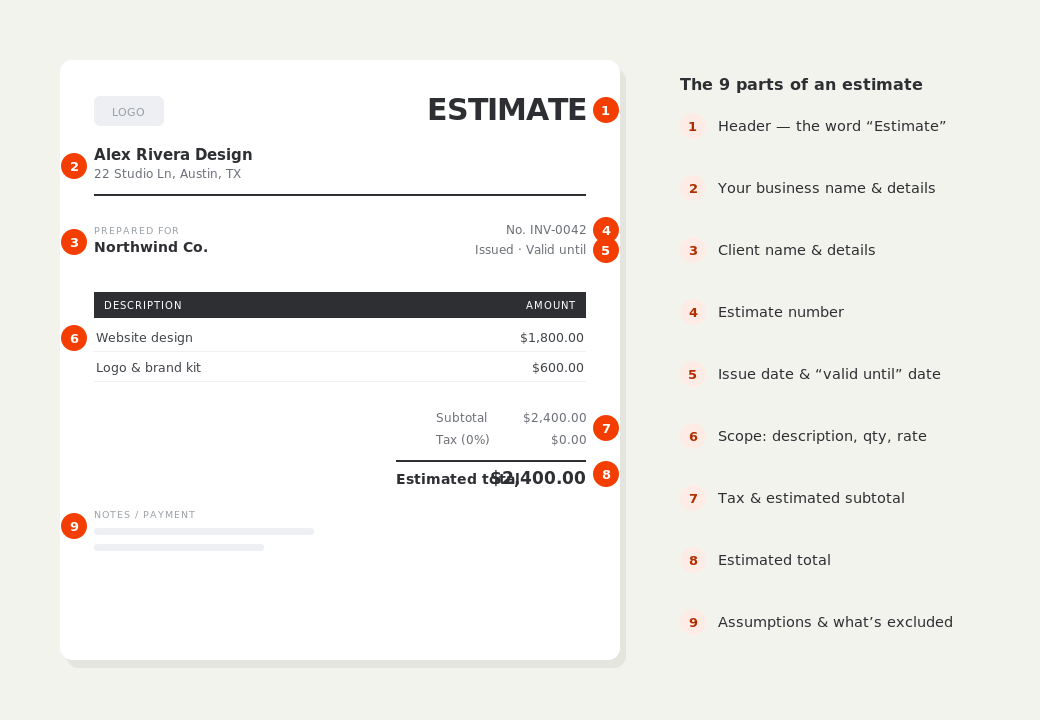
What to put on this estimate.
Miss one of these and the document usually comes back with a question attached. Everything here is a field in the editor above.
- A clear description of the scope of work
- Itemized costs with quantities and rates
- A “valid until” date
- What is explicitly not included
- Assumptions the price depends on
- What happens if the scope changes
An estimate is a projection, not a promise
This is the distinction that decides whether you can charge more later. An estimate is a considered, good-faith projection of what a job will cost; a quote is a fixed price you're committing to. If the work might reasonably grow — hidden damage, unknown site conditions, scope the client hasn't settled — issue an estimate and say so on the document. Labelling a document “quote” when you meant “estimate” is one of the more expensive wording mistakes in trade work.
Say what's excluded, not just what's included
Most disputes come from the gap between what the client imagined and what you priced. A short exclusions note — “price excludes permits, disposal of existing units, and any repair to sub-floor found on removal” — costs a minute and prevents the argument entirely. Put your assumptions there too: access hours, who supplies power and water, whether the room will be cleared before you arrive.
Put a validity date on it and mean it
Material prices move and your calendar fills. A “valid until” date, typically 14 to 30 days out, gives you a clean reason to re-price rather than honouring a figure you costed months ago. When the client approves, convert the estimate straight to an invoice — the business details, client and line items all carry over, so nothing gets retyped or accidentally changed.
Estimate generator — common questions.
What's the difference between an estimate and a quote?
An estimate is a good-faith projection that can reasonably change. A quote is a fixed price you commit to once accepted. Use an estimate when the final scope isn't fully known.
How long should an estimate stay valid?
14 to 30 days is normal. It's long enough for the client to decide and short enough that you're not bound to old material prices.
Can I turn an approved estimate into an invoice?
Yes — use “Convert to invoice” and every detail carries across, with the document wording and numbering updated for you.
BillCrafter is a document tool, not an accounting or legal service. Tax and contract rules vary by country and state — check anything material with a qualified professional.
What the official guidance says
“Your invoice must include a unique identification number, your company name, address and contact information [and] the total amount owed.”
— GOV.UK, “Invoices — what they must include”
Requirements differ by country, but the essentials are consistent: a unique invoice number, the seller and the buyer, an itemized description, the amount due, and clear payment terms. Every BillCrafter template is built around those fields. The primary sources we follow are below.
- GOV.UK — Invoicing and taking payment from customers — The UK government’s list of what every invoice must legally include.
- IRS — Recordkeeping for small business — US guidance on the invoices and receipts you should keep, and for how long.
- U.S. Small Business Administration — Manage your finances — Bookkeeping, accounts receivable and getting paid as a small business.
Other documents you can create free.
Make one now. Sign in to keep it.
Create a clear estimate your client can approve. When the job is won, convert the estimate to an invoice in one click — no re-typing.
1 · Make your first invoice free
Start typing on the document right now — no account, no card, nothing to install. Fill in your details and download a polished PDF in under two minutes. Your first export is on us.
2 · Sign in and it’s saved
A free account keeps your business details, clients and every past invoice in the cloud — so the next one takes seconds, from any device. Free accounts get 5 exports a month.
3 · Pick from 45 templates
Eight distinct layouts, twelve accent colors, and presets for freelance, contracting, consulting, photography and more — plus estimates, quotes and receipts. Browse the library.
Three steps to a paid invoice.
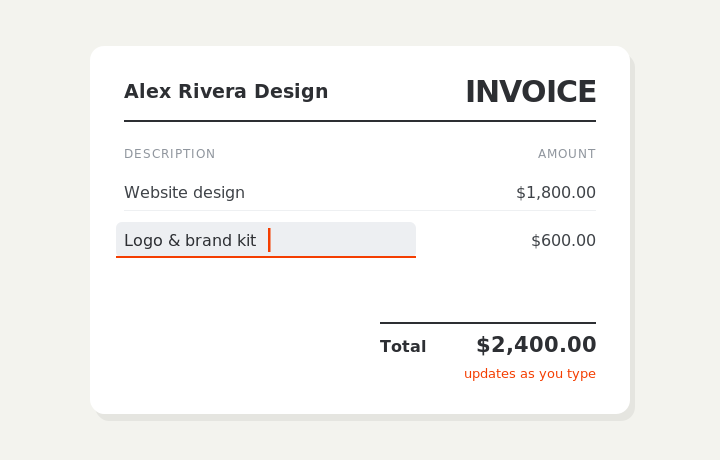
Type on the invoice
Fill in your business, client, and line items right on the document. Totals and tax calculate live as you type.
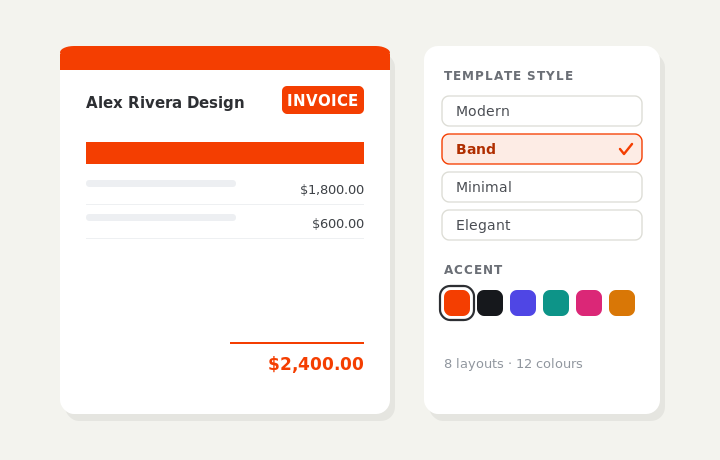
Customize & preview
Upload your logo, pick one of eight layouts and a color — the invoice you see is exactly what downloads.
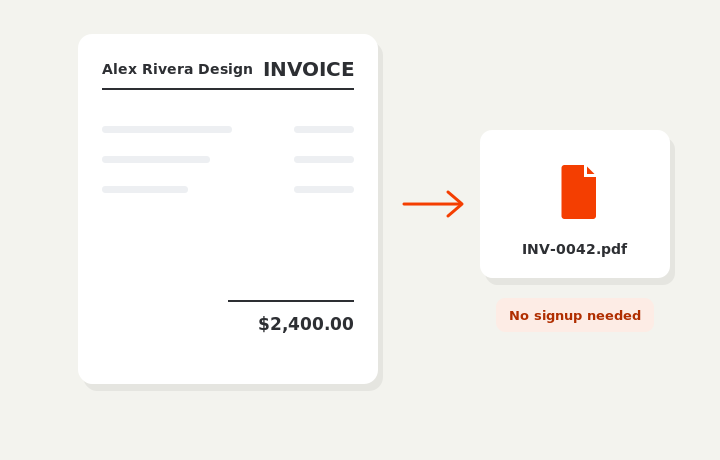
Download or send
Download a clean PDF, or sign in and email it straight to your client.