Free freelance invoice generator
Create a professional freelance invoice in seconds — itemize your work, add your logo, and download a clean PDF. No signup to download.
| Description | Qty | Rate | Tax | Amount | |
|---|---|---|---|---|---|
| $0.00 |
| Subtotal | $0.00 |
| Total | $0.00 |
Email this invoice
Sends a PDF attachment to your client. Replies come back to you.
Save your invoice — for free
Create a free account (or log in) to keep billing without starting over.
New here? We’ll create your account automatically.
Your invoice is downloading
Check your downloads folder for 20260812_INV-0001.pdf. Thanks for using BillCrafter!
Sign this invoice
Draw your signature below. It’s embedded into the PDF and stored with a signing record.
My invoices
Click Save to store the current one.
The parts of an invoice, labelled.
A complete invoice has nine parts. The editor above has a field for every one — here's where each sits on the finished document.
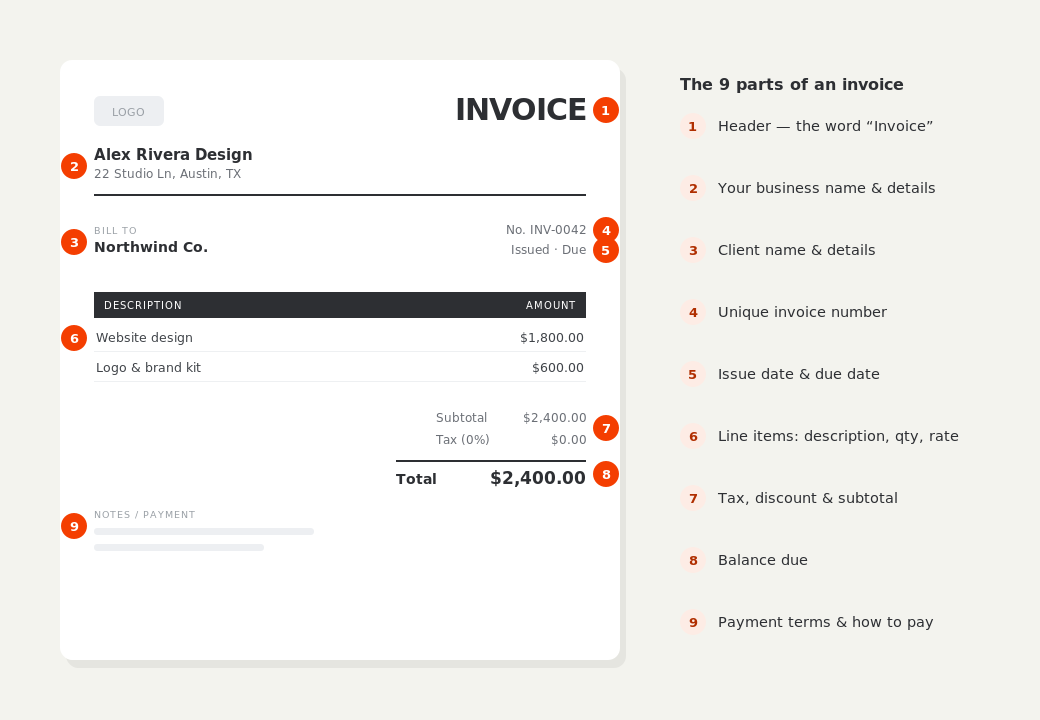
What to put on this invoice.
Miss one of these and the document usually comes back with a question attached. Everything here is a field in the editor above.
- Your name or trading name, address and email
- The client's company name and billing contact
- A unique, sequential invoice number
- Issue date and a clear due date
- Each deliverable or block of hours, with the rate
- Subtotal, any tax, and the total due
- How to pay you — bank transfer, PayPal, or a payment link
Bill by the project or by the hour
Most freelance work bills one of two ways. Fixed-project work goes on a single line — “Website design, 5 pages, 2 revision rounds” — with the agreed fee. Hourly work goes on as quantity × rate, so the client can see 18 hours at $85 rather than a lump sum with no explanation. Itemizing this way cuts the number of “what is this for?” emails dramatically, and it makes partial disputes easier: a client can query one line instead of holding up the whole invoice.
Send it the day you finish, and set a real due date
Invoices get paid in the order they arrive in an accounts inbox, so the delay between finishing work and sending the bill is dead time you never get back. Net 14 is a sensible default for independent work; reserve Net 30 for larger companies that genuinely run monthly payment cycles. Put the actual calendar date on the invoice rather than “Net 14” alone — it removes any argument about when the clock started.
Tax details: use an EIN, never your SSN
In the US you can invoice as a sole proprietor under your own name and address. If you have an EIN, put it on the invoice; if you don't, you can request one free from the IRS. Never print your Social Security number on a document you email to clients — it circulates through inboxes and accounting systems you don't control. Outside the US, include whatever tax registration number your country requires, and only add sales tax or VAT if you're actually registered to charge it.
Freelance invoice generator — common questions.
Do I need a registered business to send an invoice?
No. Freelancers and sole traders can invoice under their own legal name and address. A registered company name and tax number are useful once you have one, but neither is required to bill a client or to be paid.
What invoice number should I start with?
Anything sequential works — INV-0001 is fine. The only real rules are that numbers never repeat and never go backwards, because that's what lets you and your accountant reconcile payments later.
Should I ask for a deposit?
For new clients or projects over a couple of weeks, a 30–50% deposit is normal and protects you. Record it in the “Amount paid” field so the invoice shows the balance still outstanding rather than the full figure.
BillCrafter is a document tool, not an accounting or legal service. Tax and contract rules vary by country and state — check anything material with a qualified professional.
What the official guidance says
“Your invoice must include a unique identification number, your company name, address and contact information [and] the total amount owed.”
— GOV.UK, “Invoices — what they must include”
Requirements differ by country, but the essentials are consistent: a unique invoice number, the seller and the buyer, an itemized description, the amount due, and clear payment terms. Every BillCrafter template is built around those fields. The primary sources we follow are below.
- GOV.UK — Invoicing and taking payment from customers — The UK government’s list of what every invoice must legally include.
- IRS — Recordkeeping for small business — US guidance on the invoices and receipts you should keep, and for how long.
- U.S. Small Business Administration — Manage your finances — Bookkeeping, accounts receivable and getting paid as a small business.
Other documents you can create free.
Make one now. Sign in to keep it.
Freelancers and self-employed professionals can bill clients in minutes. Add line items for design, development, writing, or hourly work, apply tax where needed, and send a polished invoice that gets you paid.
1 · Make your first invoice free
Start typing on the document right now — no account, no card, nothing to install. Fill in your details and download a polished PDF in under two minutes. Your first export is on us.
2 · Sign in and it’s saved
A free account keeps your business details, clients and every past invoice in the cloud — so the next one takes seconds, from any device. Free accounts get 5 exports a month.
3 · Pick from 45 templates
Eight distinct layouts, twelve accent colors, and presets for freelance, contracting, consulting, photography and more — plus estimates, quotes and receipts. Browse the library.
Three steps to a paid invoice.
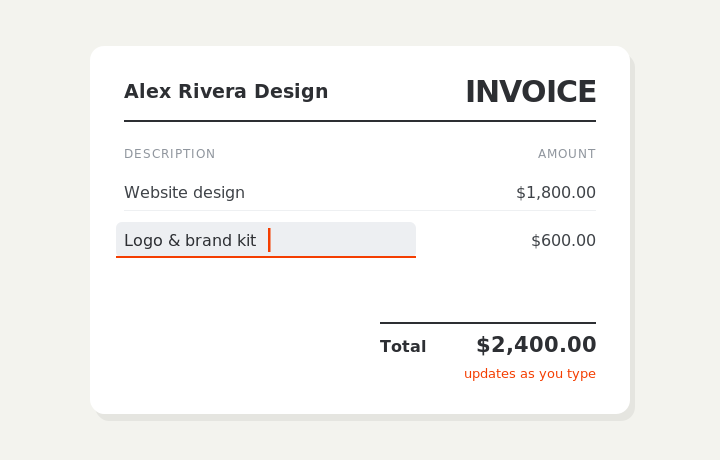
Type on the invoice
Fill in your business, client, and line items right on the document. Totals and tax calculate live as you type.
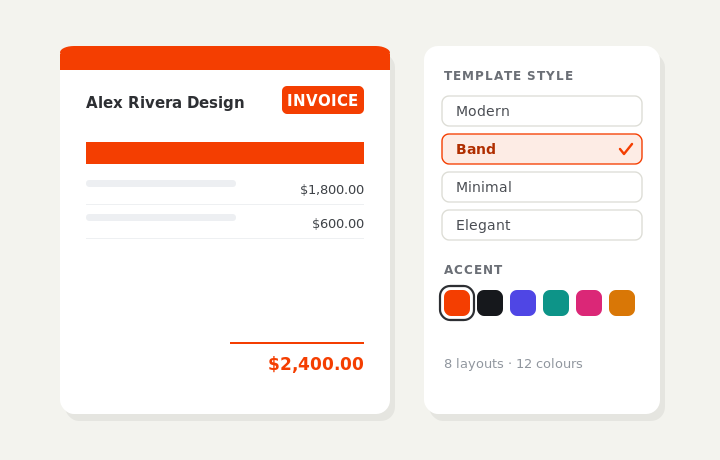
Customize & preview
Upload your logo, pick one of eight layouts and a color — the invoice you see is exactly what downloads.
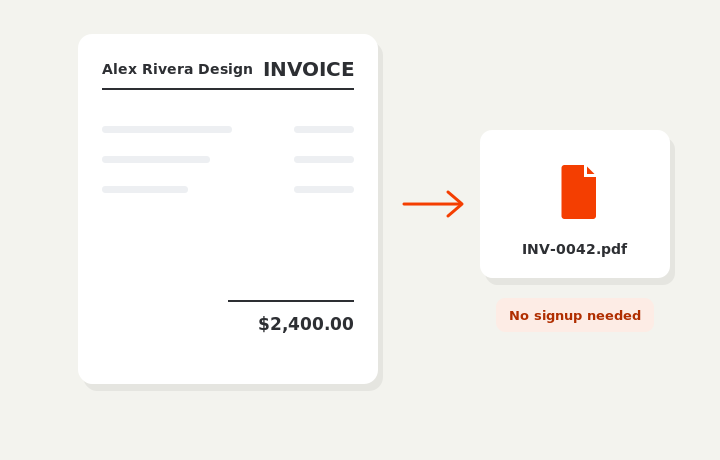
Download or send
Download a clean PDF, or sign in and email it straight to your client.