Free small business invoice generator
A simple, professional way for small businesses to bill customers — multi-currency, sales tax, your logo, and instant PDF.
| Description | Qty | Rate | Tax | Amount | |
|---|---|---|---|---|---|
| $0.00 |
| Subtotal | $0.00 |
| Total | $0.00 |
Email this invoice
Sends a PDF attachment to your client. Replies come back to you.
Save your invoice — for free
Create a free account (or log in) to keep billing without starting over.
New here? We’ll create your account automatically.
Your invoice is downloading
Check your downloads folder for 20260812_INV-0001.pdf. Thanks for using BillCrafter!
Sign this invoice
Draw your signature below. It’s embedded into the PDF and stored with a signing record.
My invoices
Click Save to store the current one.
The parts of an invoice, labelled.
A complete invoice has nine parts. The editor above has a field for every one — here's where each sits on the finished document.
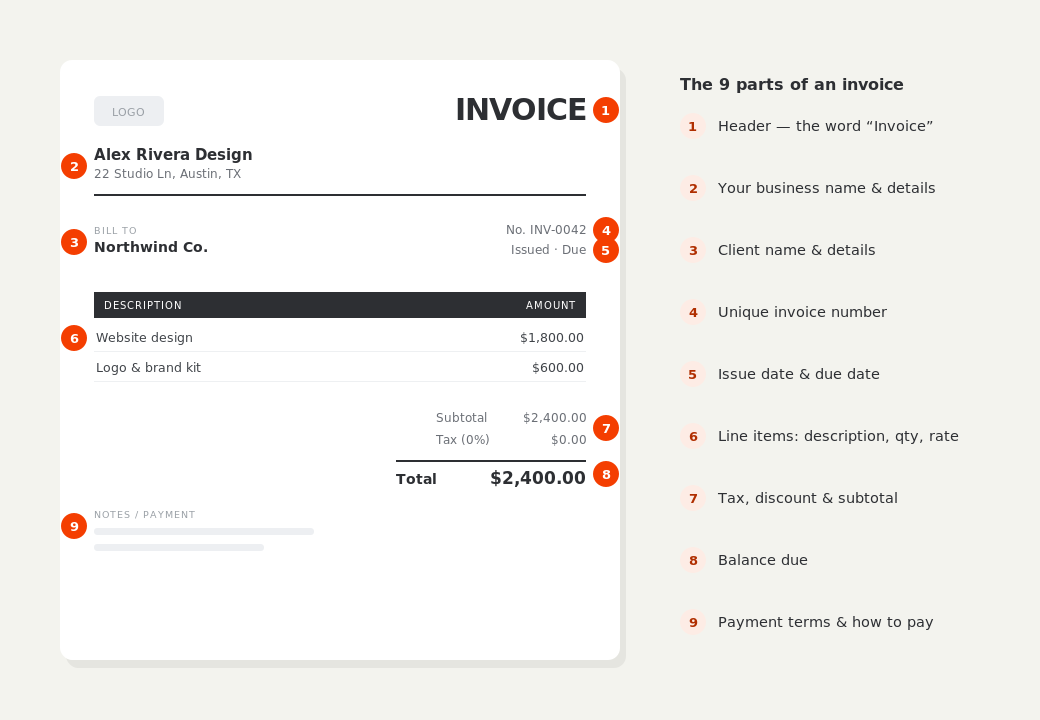
What to put on this invoice.
Miss one of these and the document usually comes back with a question attached. Everything here is a field in the editor above.
- Your business name, address and tax number
- The customer's billing details
- A sequential invoice number
- Goods or services itemized with quantities
- Applicable sales tax or VAT
- Payment methods and due date
Numbering is boring and it matters
Invoice numbers must be unique and run in sequence. That's not bureaucratic fussiness — it's what lets you prove a payment belongs to a particular sale, and it's the first thing an auditor or accountant checks. Pick a format and never break it: INV-0001 onwards is fine, and a year prefix like 2026-014 works well if you want the year visible at a glance. Gaps and duplicates are what cause reconciliation headaches at year end.
Selling across borders
If you invoice customers in another country, issue the invoice in the currency you agreed to be paid in, and say so on the document. BillCrafter carries 19 currencies and formats the figures the way that market expects — €1.234,56 in Germany, €1 234,56 in France. Cross-border tax treatment differs a great deal by country and by whether your customer is a business or a consumer, so confirm your obligations before adding or omitting tax.
Keep the paperwork your accountant will ask for
At minimum, keep a copy of every invoice you issue, a record of what was paid and when, and receipts for anything you billed on. A free BillCrafter account keeps every document you save in one place, so at year end you're not reconstructing the year from your sent-mail folder. Most jurisdictions require records to be retained for several years — check the rule where you operate.
Small business invoice generator — common questions.
Do I have to charge sales tax?
Only if you're registered to collect it in the relevant jurisdiction. Thresholds and rules vary by state and country, so check your local requirement — the tool applies whatever rate you enter, including none.
Can I put my logo on the invoice?
Yes, on every plan. Click the logo area at the top of the document and upload a PNG or JPG; it appears on the PDF exactly as shown on screen.
What's the difference between an invoice and a receipt?
An invoice requests payment before it's made. A receipt confirms payment after the fact. Many businesses issue both — the invoice to ask, the receipt as proof once the money arrives.
BillCrafter is a document tool, not an accounting or legal service. Tax and contract rules vary by country and state — check anything material with a qualified professional.
What the official guidance says
“Your invoice must include a unique identification number, your company name, address and contact information [and] the total amount owed.”
— GOV.UK, “Invoices — what they must include”
Requirements differ by country, but the essentials are consistent: a unique invoice number, the seller and the buyer, an itemized description, the amount due, and clear payment terms. Every BillCrafter template is built around those fields. The primary sources we follow are below.
- GOV.UK — Invoicing and taking payment from customers — The UK government’s list of what every invoice must legally include.
- IRS — Recordkeeping for small business — US guidance on the invoices and receipts you should keep, and for how long.
- U.S. Small Business Administration — Manage your finances — Bookkeeping, accounts receivable and getting paid as a small business.
Other documents you can create free.
Make one now. Sign in to keep it.
Small business owners can create and send professional invoices without accounting software. Save your business details once, reuse clients, and keep billing month after month.
1 · Make your first invoice free
Start typing on the document right now — no account, no card, nothing to install. Fill in your details and download a polished PDF in under two minutes. Your first export is on us.
2 · Sign in and it’s saved
A free account keeps your business details, clients and every past invoice in the cloud — so the next one takes seconds, from any device. Free accounts get 5 exports a month.
3 · Pick from 45 templates
Eight distinct layouts, twelve accent colors, and presets for freelance, contracting, consulting, photography and more — plus estimates, quotes and receipts. Browse the library.
Three steps to a paid invoice.
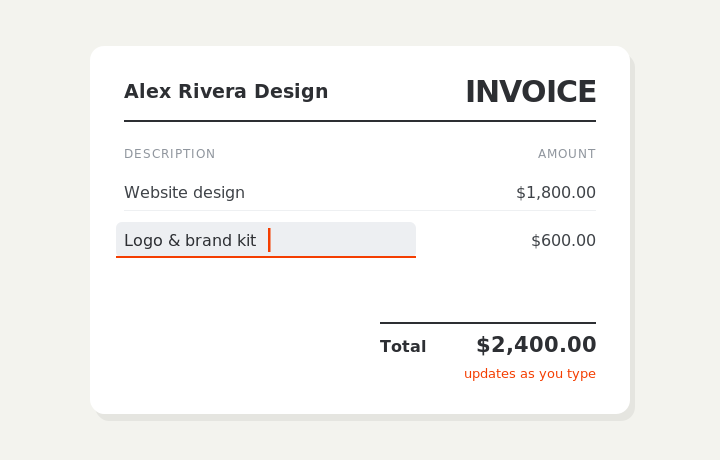
Type on the invoice
Fill in your business, client, and line items right on the document. Totals and tax calculate live as you type.
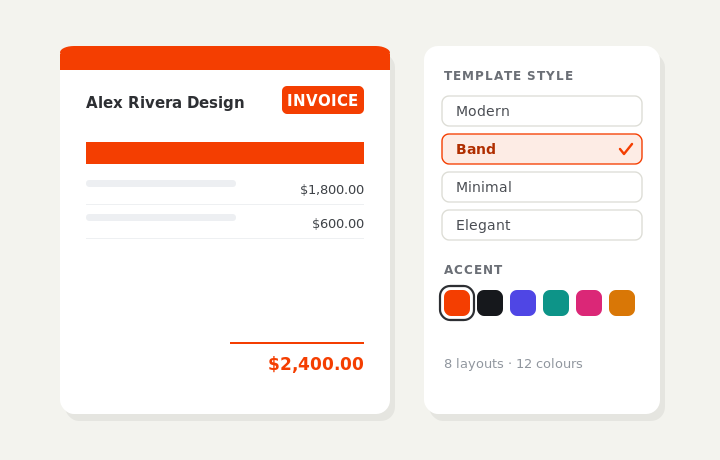
Customize & preview
Upload your logo, pick one of eight layouts and a color — the invoice you see is exactly what downloads.
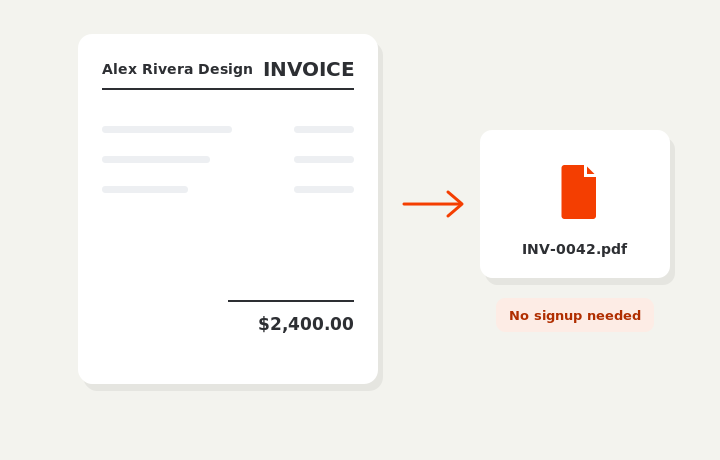
Download or send
Download a clean PDF, or sign in and email it straight to your client.