Timesheet invoice template
Turn a timesheet into an invoice: dated entries, hours per task, rate bands by role, and a total hours line the client can check. Free PDF, no signup.
| Description | Qty | Rate | Tax | Amount | |
|---|---|---|---|---|---|
| $0.00 |
| Subtotal | $0.00 |
| Total | $0.00 |
Email this invoice
Sends a PDF attachment to your client. Replies come back to you.
Save your invoice — for free
Create a free account (or log in) to keep billing without starting over.
New here? We’ll create your account automatically.
Your invoice is downloading
Check your downloads folder for 20260812_INV-0001.pdf. Thanks for using BillCrafter!
Sign this invoice
Draw your signature below. It’s embedded into the PDF and stored with a signing record.
My invoices
Click Save to store the current one.
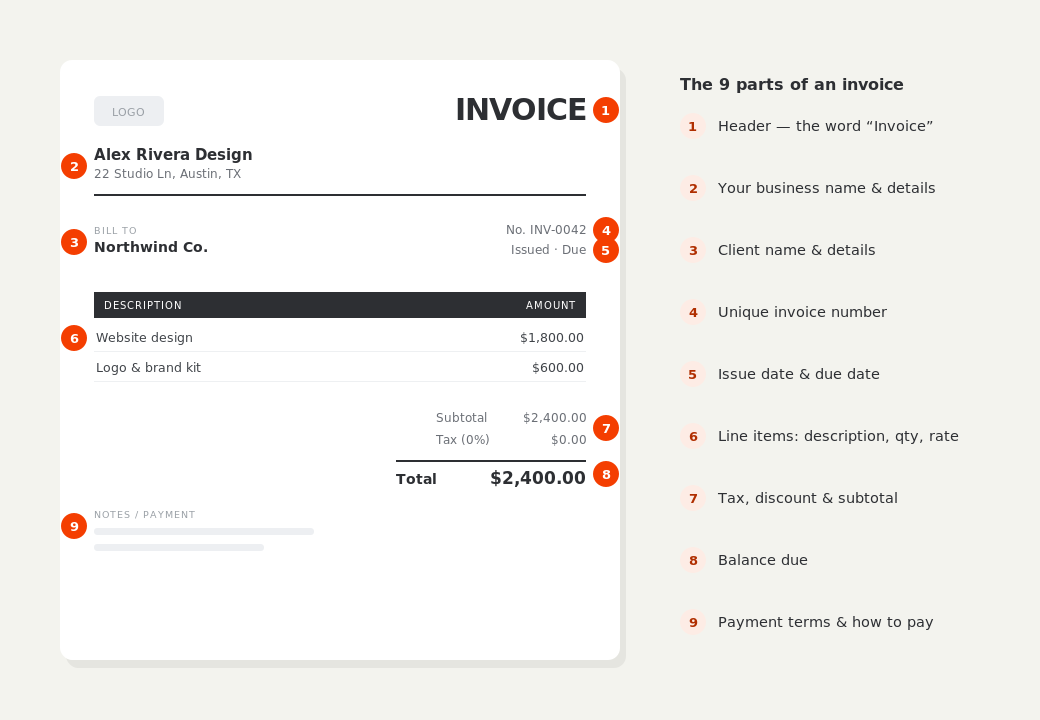
The parts of an invoice, labelled.
A complete invoice has nine parts. The editor above has a field for every one — here's where each sits on the finished document.
What to put on this invoice.
Miss one of these and the document usually comes back with a question attached. Everything here is a field in the editor above.
- One row per dated entry, not per week
- The task or matter each entry belongs to
- A section per rate band — senior, junior, paralegal
- Hours and rate on every line, with the line total
- Total hours for the invoice period
- Pass-through costs listed apart from time
Group by rate, not by person
Clients rarely care which of your people did the work; they care what it cost per hour and whether that matches the agreement. Sections headed by rate — “Senior consultant — $185/hr”, “Analyst — $95/hr” — line the invoice up with the contract they signed, and each section subtotals on its own so the mix is visible at a glance. Grouping by individual name instead invites questions about staffing you don't want to answer line by line.
Keep disbursements out of the hours
Filing fees, travel, software licenses and anything else you paid on the client's behalf are not time, and folding them into an hourly section makes the effective rate look wrong. Put them under their own heading, note whether they carry tax — in many places pass-through costs are treated differently from services — and attach receipts for anything substantial. The clarity is worth the extra heading.
Send it while the entries are recent
Timesheet invoices go stale faster than any other kind. A client asked to approve dated entries from two months ago has to reconstruct what was happening then, and the person who requested the work may have moved on. Billing monthly, within a few days of period end, is the single biggest thing you can do to shorten payment time on time-based work — and duplicating last month's invoice from your saved history makes it a five-minute job.
Timesheet invoice template — common questions.
How detailed should each timesheet entry be?
Enough that the client recognises the work: a date, a short task name, and one line of context. Entries reading only “consulting” are the ones that get queried; entries reading “Board pack — prep and readout” almost never are.
Can I bill different rates on one invoice?
Yes, and it's normal for firms with mixed seniority. Use a section per rate band so each is subtotalled separately, and make sure the bands match the rate card in your contract.
Should the invoice show total hours as well as the amount?
Yes. It's the fastest sanity check the client has, and offering it unprompted signals that the numbers are meant to be checked. BillCrafter prints a total hours line above the money whenever the timesheet columns are on.
BillCrafter is a document tool, not an accounting or legal service. Tax and contract rules vary by country and state — check anything material with a qualified professional.
What the official guidance says
“Your invoice must include a unique identification number, your company name, address and contact information [and] the total amount owed.”
— GOV.UK, “Invoices — what they must include”
Requirements differ by country, but the essentials are consistent: a unique invoice number, the seller and the buyer, an itemized description, the amount due, and clear payment terms. Every BillCrafter template is built around those fields. The primary sources we follow are below.
- GOV.UK — Invoicing and taking payment from customers — The UK government’s list of what every invoice must legally include.
- IRS — Recordkeeping for small business — US guidance on the invoices and receipts you should keep, and for how long.
- U.S. Small Business Administration — Manage your finances — Bookkeeping, accounts receivable and getting paid as a small business.
Other documents you can create free.
Make one now. Sign in to keep it.
Agencies, contractors and professional firms bill time that several people logged at several rates. A timesheet invoice keeps the dates and tasks visible while grouping the hours by rate, so approval doesn't require a spreadsheet on the side.
1 · Make your first invoice free
Start typing on the document right now — no account, no card, nothing to install. Fill in your details and download a polished PDF in under two minutes. Your first export is on us.
2 · Sign in and it’s saved
A free account keeps your business details, clients and every past invoice in the cloud — so the next one takes seconds, from any device. Free accounts get 5 exports a month.
3 · Pick from 45 templates
Eight distinct layouts, twelve accent colors, and presets for freelance, contracting, consulting, photography and more — plus estimates, quotes and receipts. Browse the library.
Three steps to a paid invoice.
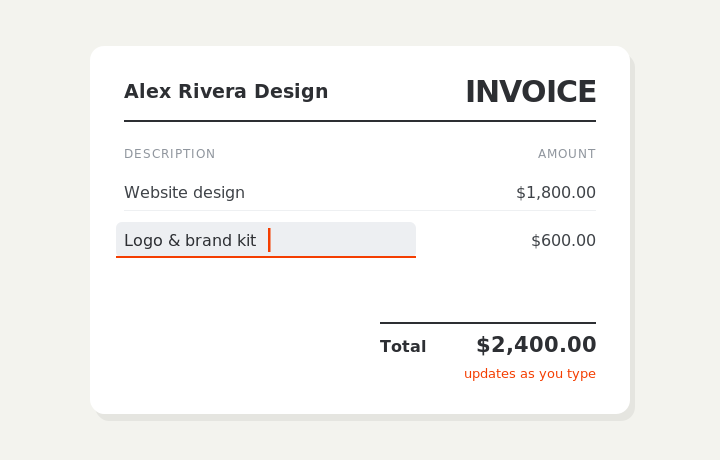
Type on the invoice
Fill in your business, client, and line items right on the document. Totals and tax calculate live as you type.
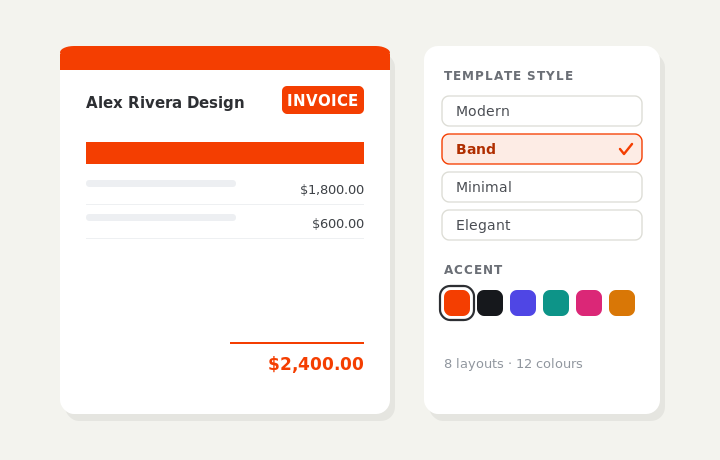
Customize & preview
Upload your logo, pick one of eight layouts and a color — the invoice you see is exactly what downloads.
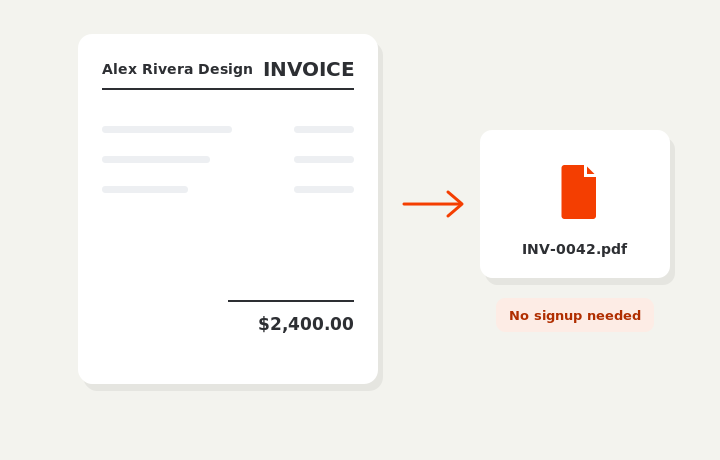
Download or send
Download a clean PDF, or sign in and email it straight to your client.