Recurring invoice generator
Bill the same client every month without rebuilding the invoice. Set the service period, list the visits, and duplicate it next month in one click. Free, no signup to download.
| Description | Qty | Rate | Tax | Amount | |
|---|---|---|---|---|---|
| $0.00 |
| Subtotal | $0.00 |
| Total | $0.00 |
Email this invoice
Sends a PDF attachment to your client. Replies come back to you.
Save your invoice — for free
Create a free account (or log in) to keep billing without starting over.
New here? We’ll create your account automatically.
Your invoice is downloading
Check your downloads folder for 20260812_INV-0001.pdf. Thanks for using BillCrafter!
Sign this invoice
Draw your signature below. It’s embedded into the PDF and stored with a signing record.
My invoices
Click Save to store the current one.
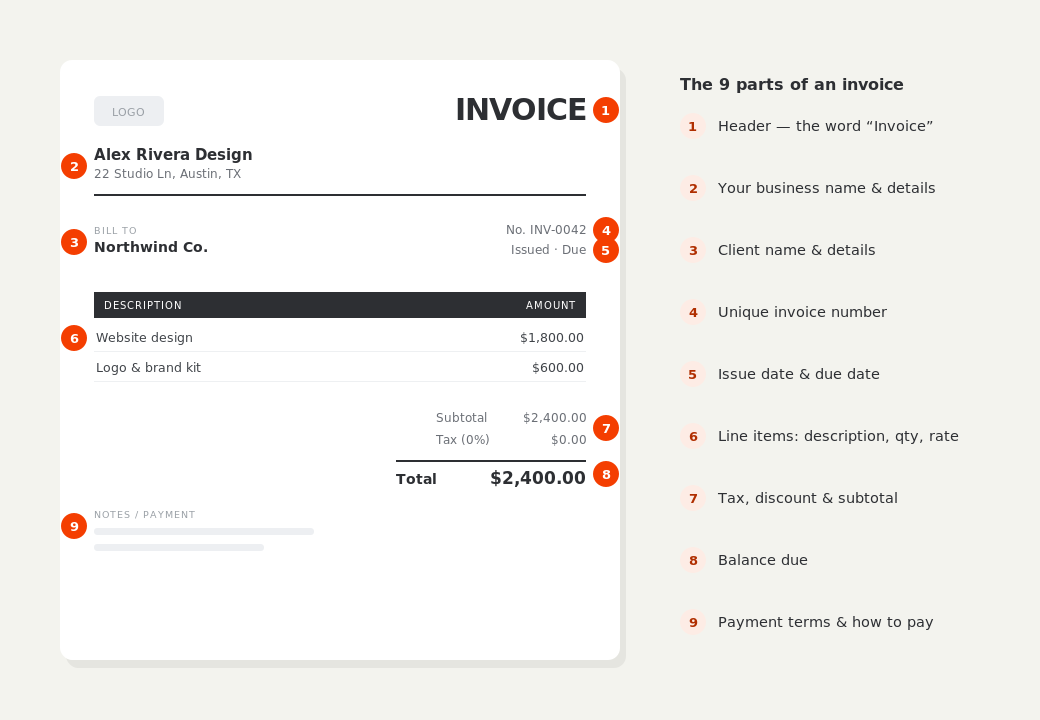
The parts of an invoice, labelled.
A complete invoice has nine parts. The editor above has a field for every one — here's where each sits on the finished document.
What to put on this invoice.
Miss one of these and the document usually comes back with a question attached. Everything here is a field in the editor above.
- The service period this invoice covers, with start and end dates
- How often you attend — weekly, fortnightly, monthly, quarterly
- The number of visits or hours actually delivered in the period
- Anything extra done this period, listed separately from the plan
- Credits for skipped or missed visits
- A consistent invoice number sequence so the months reconcile
Put the period on the invoice, not just the date
A recurring invoice dated the 1st of the month tells the client nothing about what they're paying for. State the span — 1–31 May, four weekly visits — and the document answers its own question. This matters most when a client queries a bill months later: an invoice that names its own period can be checked against a calendar, while one that just says “monthly service” starts an argument. BillCrafter's service period block prints the dates and the frequency at the top of the document, and disappears entirely on one-off jobs.
Separate the plan from the extras
The fastest way to make a recurring invoice unapprovable is to bury a one-off charge inside the regular line. Put the plan on its own section — “Recurring service”, four visits at the agreed rate — and anything additional under a second heading with the date it was requested. The client's eye goes straight to the number that changed, which is the only part they need to think about. Sections in BillCrafter subtotal themselves, so the split costs you nothing to maintain.
Next month should take ten seconds
The real work in recurring billing is not the first invoice, it's the fiftieth. Save the invoice to a free account and duplicate it each cycle: the business details, client, line items and rates carry over, the number advances automatically, and you adjust the period and the visit count. Handle skipped visits as a credit line rather than by editing the rate — the arithmetic stays visible, and your records still show what the plan costs. Pro adds automated recurring invoices when you'd rather not remember at all.
Recurring invoice generator — common questions.
Should I bill recurring work in advance or in arrears?
In arrears is the norm for visit-based work like cleaning and grounds maintenance, because the invoice can state what was actually delivered. Retainers for professional services are more often billed in advance. Either works — say which one you're doing in the notes so the client knows what the period means.
How do I handle a missed or skipped visit?
Add a credit line rather than quietly lowering the rate. “Visit skipped 14 May — credit” keeps the plan price visible and shows the client you tracked it, which is far better for trust than an invoice that is mysteriously smaller this month.
Can BillCrafter send recurring invoices automatically?
Automated recurring invoices are a Pro feature and Pro is in private beta, so it can't be bought yet. On the free plan you duplicate last month's invoice in one click from your saved history — the details carry over and the number advances on its own.
BillCrafter is a document tool, not an accounting or legal service. Tax and contract rules vary by country and state — check anything material with a qualified professional.
What the official guidance says
“Your invoice must include a unique identification number, your company name, address and contact information [and] the total amount owed.”
— GOV.UK, “Invoices — what they must include”
Requirements differ by country, but the essentials are consistent: a unique invoice number, the seller and the buyer, an itemized description, the amount due, and clear payment terms. Every BillCrafter template is built around those fields. The primary sources we follow are below.
- GOV.UK — Invoicing and taking payment from customers — The UK government’s list of what every invoice must legally include.
- IRS — Recordkeeping for small business — US guidance on the invoices and receipts you should keep, and for how long.
- U.S. Small Business Administration — Manage your finances — Bookkeeping, accounts receivable and getting paid as a small business.
Other documents you can create free.
Make one now. Sign in to keep it.
Cleaners, groundskeepers, maintenance firms, bookkeepers and anyone on a retainer bills the same work on a cycle. A recurring invoice states the period it covers, what was delivered inside it, and what changed — so the client can approve it without a phone call.
1 · Make your first invoice free
Start typing on the document right now — no account, no card, nothing to install. Fill in your details and download a polished PDF in under two minutes. Your first export is on us.
2 · Sign in and it’s saved
A free account keeps your business details, clients and every past invoice in the cloud — so the next one takes seconds, from any device. Free accounts get 5 exports a month.
3 · Pick from 45 templates
Eight distinct layouts, twelve accent colors, and presets for freelance, contracting, consulting, photography and more — plus estimates, quotes and receipts. Browse the library.
Three steps to a paid invoice.
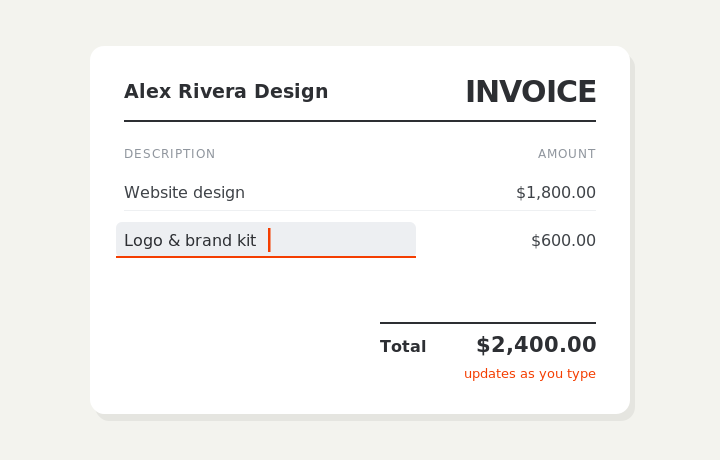
Type on the invoice
Fill in your business, client, and line items right on the document. Totals and tax calculate live as you type.
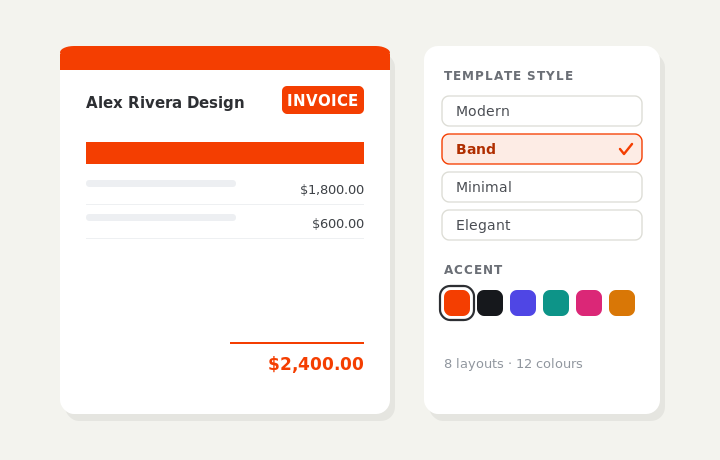
Customize & preview
Upload your logo, pick one of eight layouts and a color — the invoice you see is exactly what downloads.
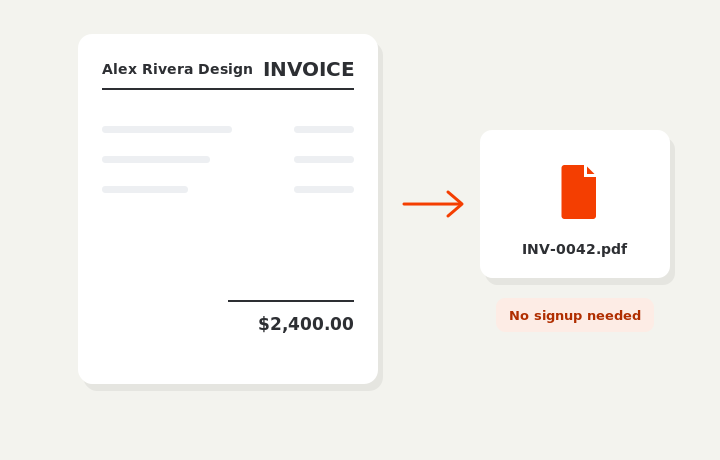
Download or send
Download a clean PDF, or sign in and email it straight to your client.