Free lawn care invoice template
Invoice mowing rounds, seasonal work and haul-away in one document — per visit or per month. Add photos of the finished job, then download a clean PDF.
| Description | Qty | Rate | Tax | Amount | |
|---|---|---|---|---|---|
| $0.00 |
| Subtotal | $0.00 |
| Total | $0.00 |
Email this invoice
Sends a PDF attachment to your client. Replies come back to you.
Save your invoice — for free
Create a free account (or log in) to keep billing without starting over.
New here? We’ll create your account automatically.
Your invoice is downloading
Check your downloads folder for 20260812_INV-0001.pdf. Thanks for using BillCrafter!
Sign this invoice
Draw your signature below. It’s embedded into the PDF and stored with a signing record.
My invoices
Click Save to store the current one.
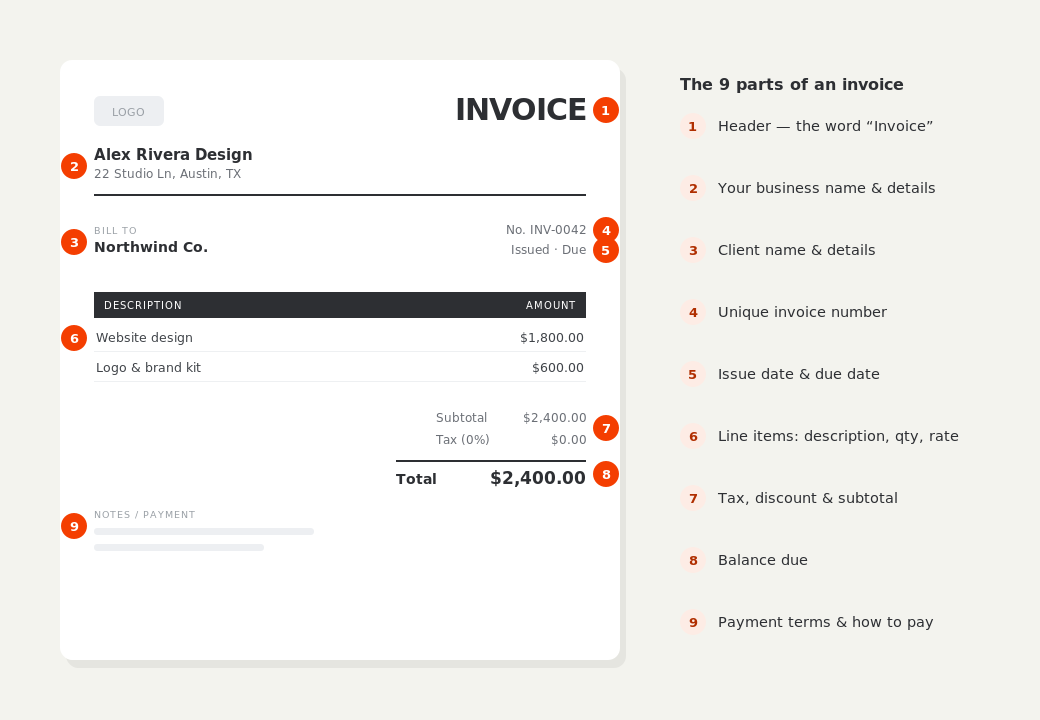
The parts of an invoice, labelled.
A complete invoice has nine parts. The editor above has a field for every one — here's where each sits on the finished document.
What to put on this invoice.
Miss one of these and the document usually comes back with a question attached. Everything here is a field in the editor above.
- The property address, which is rarely the billing address
- Number of visits in the period, and the per-visit rate
- Seasonal or one-off work listed separately from the round
- Green-waste removal and disposal fees, itemized
- Whether materials — mulch, plants, fertilizer — are taxed
- Weather cancellations and how they're credited
Per visit or per month — pick one and show the maths
Both models work. Per-visit billing is honest in a wet spring when you couldn't cut, and clients understand it immediately. Flat monthly billing smooths your cash flow across the season and is easier to collect on autopay, but it needs a line stating how many visits the month included, or clients start counting for themselves in July. Whichever you choose, show visits × rate on the invoice rather than a single unexplained figure — it's the difference between a bill that gets paid and one that gets a text message.
Seasonal work is where the margin is — itemize it
Mowing is the relationship; bed prep, mulching, planting, aeration and cleanups are the profit. Put them under their own heading so they read as work you performed, not as the mowing bill going up. Include quantities where they exist — cubic yards of mulch, number of shrubs — because a client who can picture what arrived on the truck queries the price far less often. Materials and labor are often taxed differently, and separate lines let you mark each correctly.
Photograph the cleanup, especially on one-off jobs
For a mowing round nobody needs pictures. For a full cleanup, a hedge reduction or a new bed, before-and-after photos on the invoice end the conversation before it starts — the client sees the overgrown corner and then the cleared one, attached to the document asking for money. BillCrafter puts up to six captioned photos at the foot of the invoice, and they export inside the PDF rather than as a separate email attachment nobody opens.
Lawn care invoice template — common questions.
Should I charge for a visit when rain stops the work?
Most lawn care businesses don't charge for a visit that didn't happen, but do charge if the crew turned up and were sent away. Whatever your rule is, put it in the notes on every invoice, because it's the single most common source of seasonal disputes.
Do I charge sales tax on lawn care?
It varies by state. Several tax landscaping labor, several exempt routine maintenance but tax installation or new construction, and materials are often treated differently from labor. Mark each line taxable or not to match, and check your state's rule with its revenue department or your accountant.
How do I bill for green-waste disposal?
As its own line, priced either flat per haul or per load, rather than folded into the mowing rate. Disposal fees rise, and a separate line lets you adjust it without renegotiating the whole plan.
BillCrafter is a document tool, not an accounting or legal service. Tax and contract rules vary by country and state — check anything material with a qualified professional.
What the official guidance says
“Your invoice must include a unique identification number, your company name, address and contact information [and] the total amount owed.”
— GOV.UK, “Invoices — what they must include”
Requirements differ by country, but the essentials are consistent: a unique invoice number, the seller and the buyer, an itemized description, the amount due, and clear payment terms. Every BillCrafter template is built around those fields. The primary sources we follow are below.
- GOV.UK — Invoicing and taking payment from customers — The UK government’s list of what every invoice must legally include.
- IRS — Recordkeeping for small business — US guidance on the invoices and receipts you should keep, and for how long.
- U.S. Small Business Administration — Manage your finances — Bookkeeping, accounts receivable and getting paid as a small business.
Other documents you can create free.
Make one now. Sign in to keep it.
Lawn care and landscaping bill two things at once: a regular mowing round and one-off seasonal work. This template keeps them on separate lines so the client can see the plan price and the extras without doing arithmetic.
1 · Make your first invoice free
Start typing on the document right now — no account, no card, nothing to install. Fill in your details and download a polished PDF in under two minutes. Your first export is on us.
2 · Sign in and it’s saved
A free account keeps your business details, clients and every past invoice in the cloud — so the next one takes seconds, from any device. Free accounts get 5 exports a month.
3 · Pick from 45 templates
Eight distinct layouts, twelve accent colors, and presets for freelance, contracting, consulting, photography and more — plus estimates, quotes and receipts. Browse the library.
Three steps to a paid invoice.
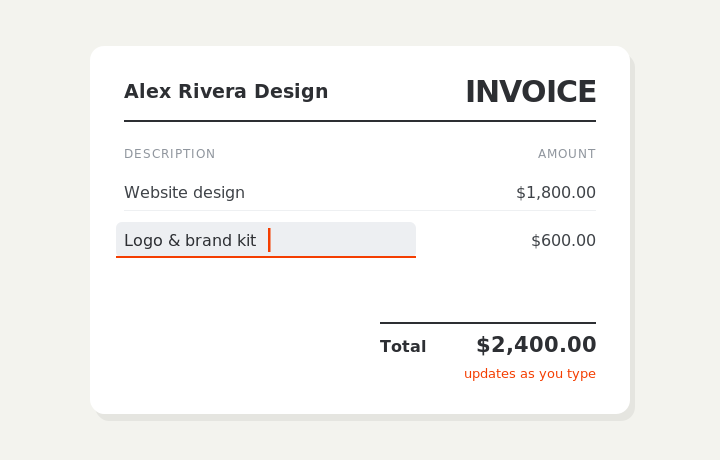
Type on the invoice
Fill in your business, client, and line items right on the document. Totals and tax calculate live as you type.
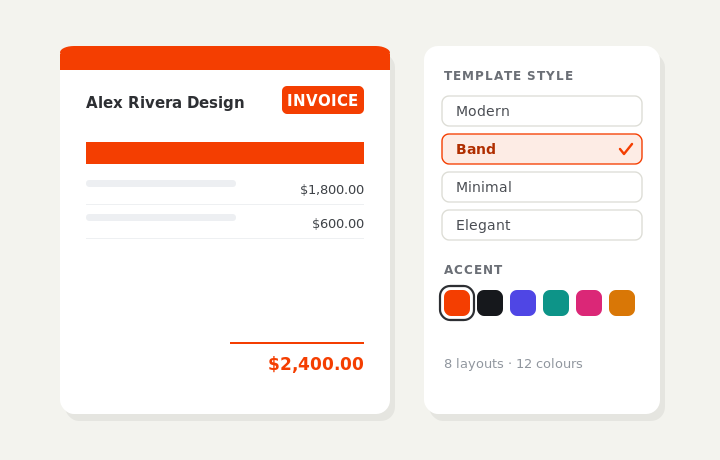
Customize & preview
Upload your logo, pick one of eight layouts and a color — the invoice you see is exactly what downloads.
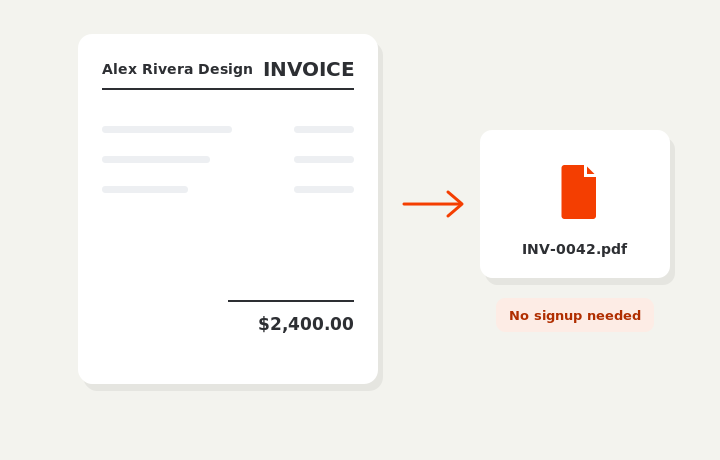
Download or send
Download a clean PDF, or sign in and email it straight to your client.