Free deposit invoice generator
Ask for a deposit the professional way — a clear invoice showing the job total, the deposit due now, and the balance to follow. No signup to download.
| Description | Qty | Rate | Tax | Amount | |
|---|---|---|---|---|---|
| $0.00 |
| Subtotal | $0.00 |
| Total | $0.00 |
Email this invoice
Sends a PDF attachment to your client. Replies come back to you.
Save your invoice — for free
Create a free account (or log in) to keep billing without starting over.
New here? We’ll create your account automatically.
Your invoice is downloading
Check your downloads folder for 20260801_INV-0001.pdf. Thanks for using BillCrafter!
Sign this invoice
Draw your signature below. It’s embedded into the PDF and stored with a signing record.
My invoices
Click Save to store the current one.
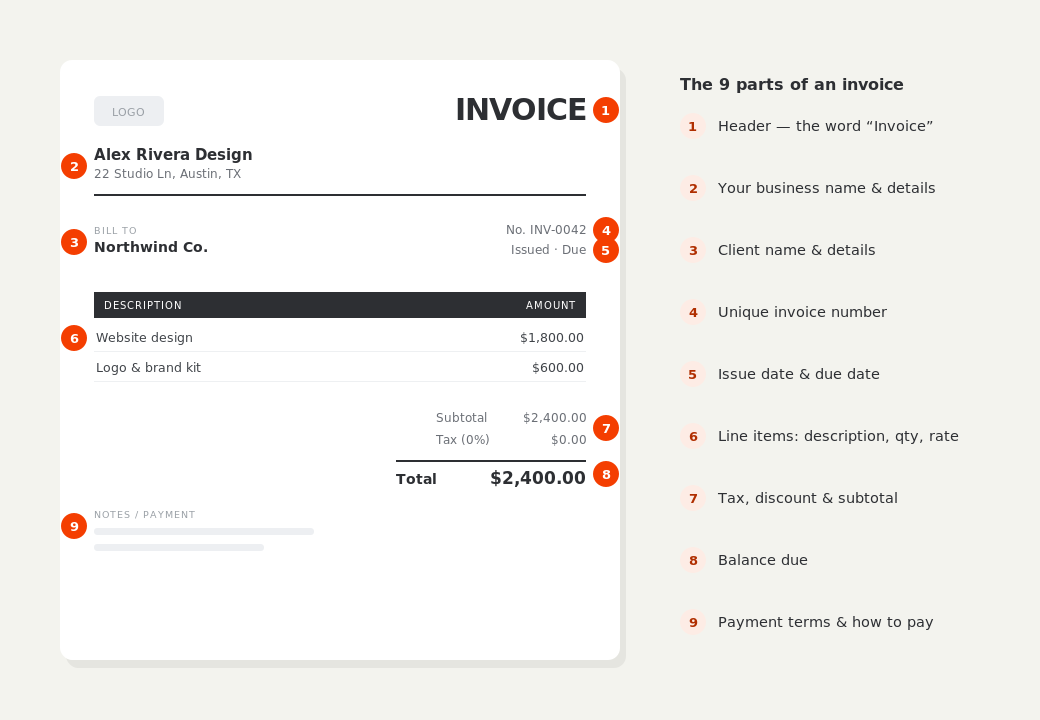
The parts of an invoice, labelled.
A complete invoice has nine parts. The editor above has a field for every one — here's where each sits on the finished document.
What to put on this invoice.
Miss one of these and the document usually comes back with a question attached. Everything here is a field in the editor above.
- The full job or project total, so the deposit has context
- The deposit amount — as a percentage or a fixed figure
- What the deposit secures: a start date, a booking, materials
- The payment schedule for the remaining balance
- Whether the deposit is refundable, and until when
- How to pay — bank transfer, card link, or check
How much deposit to ask for
For trades and services, 25–50% up front is the normal range. Bigger deposits are justified when you buy materials before starting — many contractors ask for enough to cover materials plus a day's labor. For bookings (photography, DJs, catering, events), 30–50% to hold the date is standard and clients expect it. Above 50% starts to feel unusual outside of custom orders and made-to-measure work, and a few states cap what home-improvement contractors may collect up front — California, for instance, limits it to 10% or $1,000, whichever is less — so check your state's rule before you set a number.
Show the deposit on the invoice, don't invoice only the deposit
A deposit request reads best when the client can see the whole picture: the full job total, then “Deposit due (30%)” as its own line. BillCrafter's Deposit field does exactly this — it prints the amount due now without changing the total, so there's no confusion about what the overall job costs. Add the payment schedule block underneath to show when the rest falls due: deposit to book, balance on completion, or a set of milestones on a bigger job.
When the deposit arrives, record it and move on
Once the deposit is paid, enter it in the “Amount paid” field on your next invoice for the job — the document then shows the total, the deposit received, and the balance due, which is the figure the client actually owes. Keeping this arithmetic on the invoice, rather than in an email thread, is what prevents the classic dispute where a client believes the deposit was never counted. A receipt for the deposit itself takes one click: convert the paid invoice to a receipt and send it.
Deposit invoice generator — common questions.
What percentage deposit should I charge?
25–50% is typical for trades and bookings. Charge toward the higher end when you buy materials up front or turn away other work to hold a date. Some US states cap contractor deposits on home-improvement work, so check your state's rule.
Is a deposit invoice legally binding?
The invoice itself is a request for payment, not a contract. The binding part is your agreement with the client — a signed quote, contract or accepted estimate. The deposit invoice implements what that agreement says, so make sure the percentage and refund terms match it.
Should a deposit be refundable?
State it either way, in writing, on the invoice. A common pattern: refundable until N days before the start date or booking, then non-refundable because you've turned other work away. Whatever you choose, the notes field on the invoice is the place to say it.
BillCrafter is a document tool, not an accounting or legal service. Tax and contract rules vary by country and state — check anything material with a qualified professional.
What the official guidance says
“Your invoice must include a unique identification number, your company name, address and contact information [and] the total amount owed.”
— GOV.UK, “Invoices — what they must include”
Requirements differ by country, but the essentials are consistent: a unique invoice number, the seller and the buyer, an itemized description, the amount due, and clear payment terms. Every BillCrafter template is built around those fields. The primary sources we follow are below.
- GOV.UK — Invoicing and taking payment from customers — The UK government’s list of what every invoice must legally include.
- IRS — Recordkeeping for small business — US guidance on the invoices and receipts you should keep, and for how long.
- U.S. Small Business Administration — Manage your finances — Bookkeeping, accounts receivable and getting paid as a small business.
Other documents you can create free.
Make one now. Sign in to keep it.
Contractors, photographers, caterers and event pros can request a booking deposit with a proper document instead of a text message. Show the full job value, the percentage due up front, and the payment schedule for the rest.
1 · Make your first invoice free
Start typing on the document right now — no account, no card, nothing to install. Fill in your details and download a polished PDF in under two minutes. Your first export is on us.
2 · Sign in and it’s saved
A free account keeps your business details, clients and every past invoice in the cloud — so the next one takes seconds, from any device. Free accounts get 5 exports a month.
5 · Pick from 45 templates
Eight distinct layouts, twelve accent colors, and presets for freelance, contracting, consulting, photography and more — plus estimates, quotes and receipts. Browse the library.
Three steps to a paid invoice.
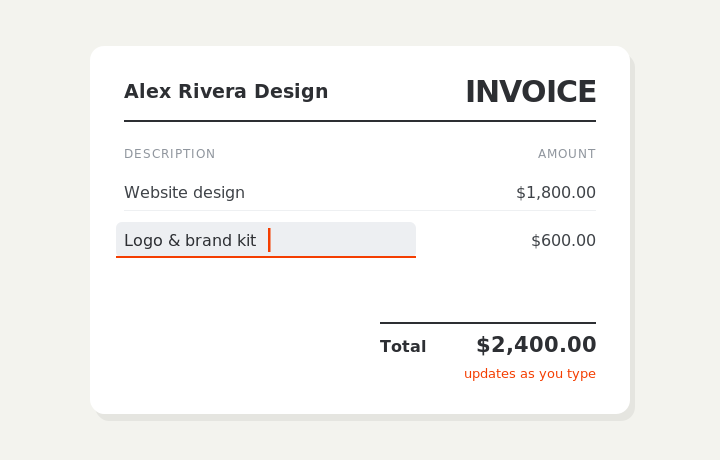
Type on the invoice
Fill in your business, client, and line items right on the document. Totals and tax calculate live as you type.
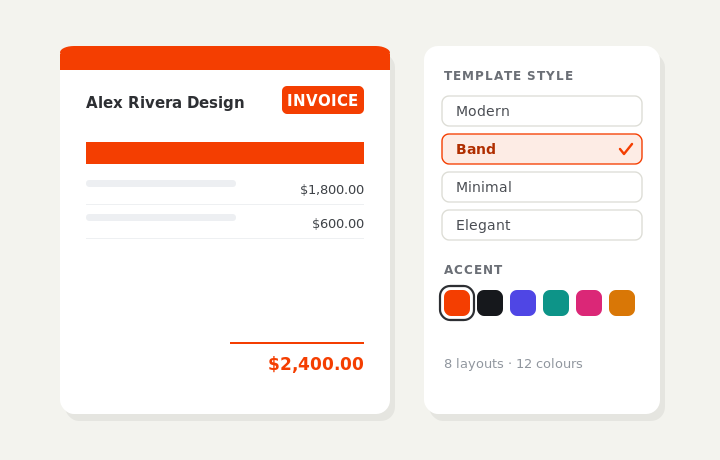
Customize & preview
Upload your logo, pick one of eight layouts and a color — the invoice you see is exactly what downloads.
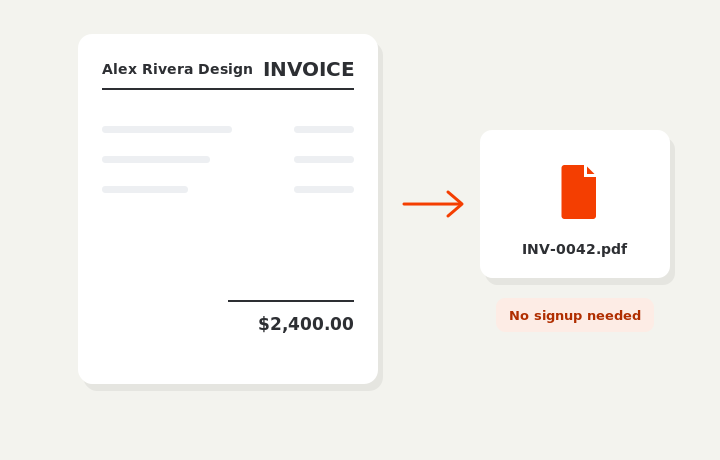
Download or send
Download a clean PDF, or sign in and email it straight to your client.