Free hourly invoice generator
Bill by the hour with dated entries, a running hours total and your rate on every line. Free, no signup to download the PDF.
| Description | Qty | Rate | Tax | Amount | |
|---|---|---|---|---|---|
| $0.00 |
| Subtotal | $0.00 |
| Total | $0.00 |
Email this invoice
Sends a PDF attachment to your client. Replies come back to you.
Save your invoice — for free
Create a free account (or log in) to keep billing without starting over.
New here? We’ll create your account automatically.
Your invoice is downloading
Check your downloads folder for 20260812_INV-0001.pdf. Thanks for using BillCrafter!
Sign this invoice
Draw your signature below. It’s embedded into the PDF and stored with a signing record.
My invoices
Click Save to store the current one.
The parts of an invoice, labelled.
A complete invoice has nine parts. The editor above has a field for every one — here's where each sits on the finished document.
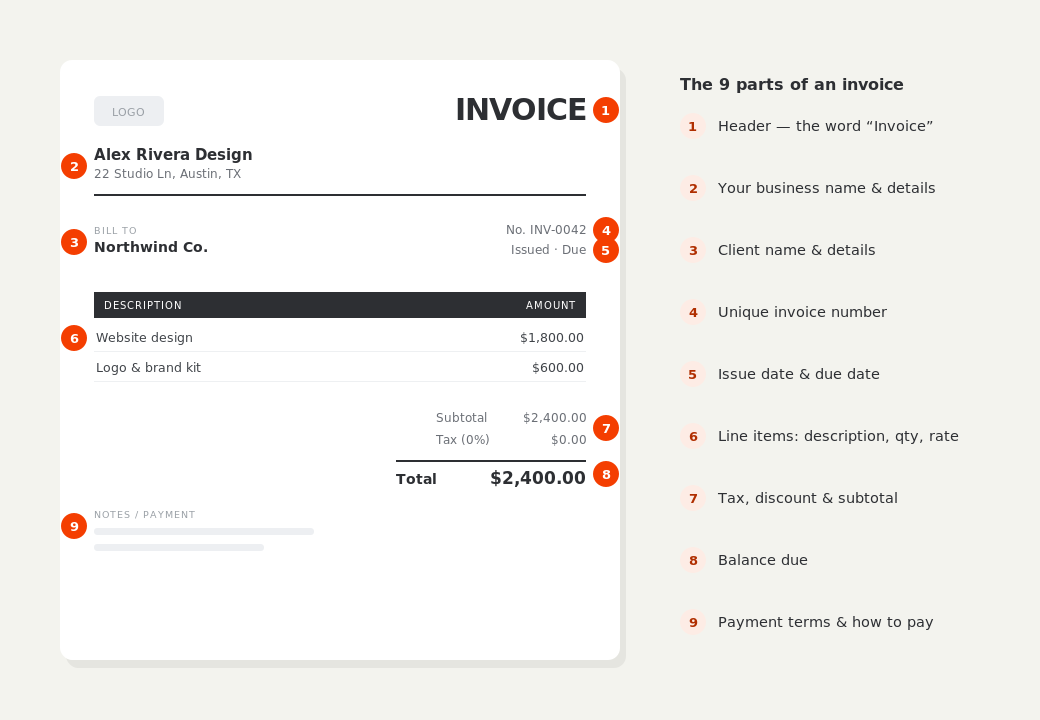
What to put on this invoice.
Miss one of these and the document usually comes back with a question attached. Everything here is a field in the editor above.
- Each entry dated, with what you worked on
- Hours per entry and your hourly rate
- Total hours for the period, stated separately from the money
- The increment you round to — 15 minutes, 30 minutes, or the hour
- The period the invoice covers
- Any fixed-fee work, kept apart from the hourly lines
Dated entries beat one line saying “42 hours”
A single line for a month of work asks the client to take your word for it, and a client who can't verify a number delays paying it while they think about whether they believe you. Four to ten dated entries, each naming what was done, converts the same total into a record. It's also the version you'll be glad of six months later when someone asks what June was spent on. Turn on Timesheet in BillCrafter and the table grows a date column and totals your hours automatically.
Decide your rounding increment and put it in writing
Fifteen minutes is the most common increment for freelance work, thirty for consulting, six minutes (0.1 hr) for legal. What matters far more than which you pick is that the invoice says so — a note reading “billed in 15-minute increments” pre-empts the client who adds up your entries and finds 3.25 where they expected 3. Round consistently, never round every entry up as a habit, and never bill a fraction you couldn't describe if asked.
Keep fixed-fee work on its own section
Mixed invoices are common — some hourly work, one flat deliverable — and mixing them into a single list is what makes a client query the whole document. Put the hourly entries under one heading and fixed-price items under another, each with its own subtotal, and the invoice reads as two clear answers instead of one confusing one. Sections in BillCrafter subtotal themselves, so this costs no extra effort.
Hourly invoice generator — common questions.
Should I show my hourly rate on the invoice?
Yes, on every line. A rate the client can multiply is a rate they trust; a lump sum with the rate hidden invites the question you least want, which is what the total works out to per hour. If your rate varies by task, use a section per rate.
What increment should I round my time to?
15 minutes suits most freelance work, 30 minutes suits consulting, and legal work is usually billed in 0.1-hour units. Pick one, say so on the invoice, and apply it the same way every time — the inconsistency is what damages trust, not the rounding itself.
Do I need to attach a separate timesheet?
Not if the invoice carries the dated entries itself, which is the point of this template. A separate spreadsheet is one more file to open and one more thing to disagree with; a client who can see the days on the invoice rarely asks for anything further.
BillCrafter is a document tool, not an accounting or legal service. Tax and contract rules vary by country and state — check anything material with a qualified professional.
What the official guidance says
“Your invoice must include a unique identification number, your company name, address and contact information [and] the total amount owed.”
— GOV.UK, “Invoices — what they must include”
Requirements differ by country, but the essentials are consistent: a unique invoice number, the seller and the buyer, an itemized description, the amount due, and clear payment terms. Every BillCrafter template is built around those fields. The primary sources we follow are below.
- GOV.UK — Invoicing and taking payment from customers — The UK government’s list of what every invoice must legally include.
- IRS — Recordkeeping for small business — US guidance on the invoices and receipts you should keep, and for how long.
- U.S. Small Business Administration — Manage your finances — Bookkeeping, accounts receivable and getting paid as a small business.
Other documents you can create free.
Make one now. Sign in to keep it.
Freelancers, consultants and anyone billing time needs the invoice to show what the hours were spent on. Dated entries with hours × rate answer that before the client has to ask, and the total hours line lets them check the arithmetic in a second.
1 · Make your first invoice free
Start typing on the document right now — no account, no card, nothing to install. Fill in your details and download a polished PDF in under two minutes. Your first export is on us.
2 · Sign in and it’s saved
A free account keeps your business details, clients and every past invoice in the cloud — so the next one takes seconds, from any device. Free accounts get 5 exports a month.
3 · Pick from 45 templates
Eight distinct layouts, twelve accent colors, and presets for freelance, contracting, consulting, photography and more — plus estimates, quotes and receipts. Browse the library.
Three steps to a paid invoice.
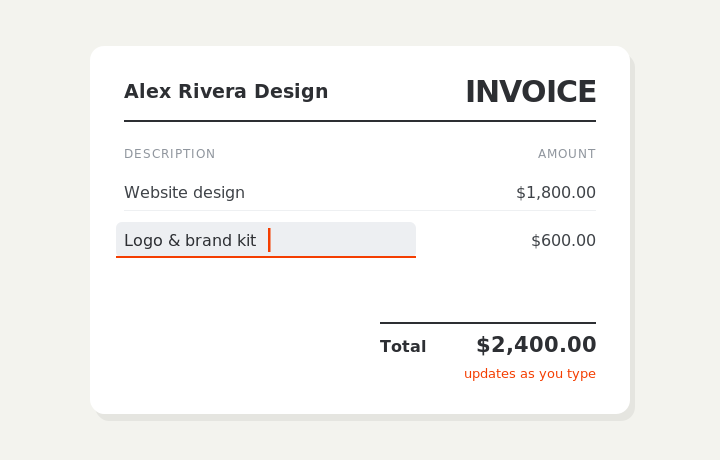
Type on the invoice
Fill in your business, client, and line items right on the document. Totals and tax calculate live as you type.
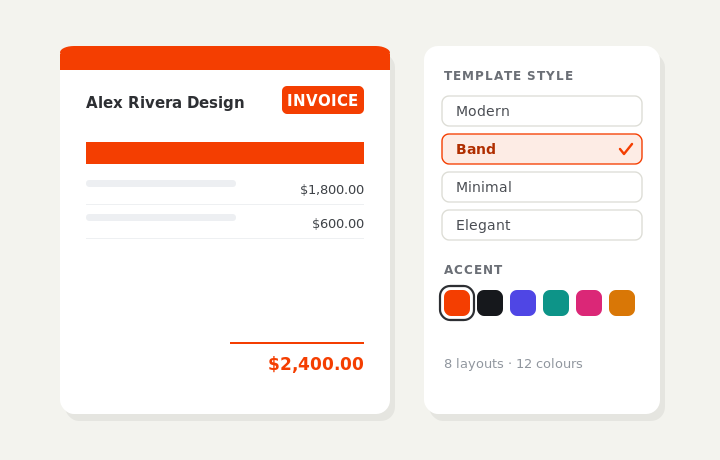
Customize & preview
Upload your logo, pick one of eight layouts and a color — the invoice you see is exactly what downloads.
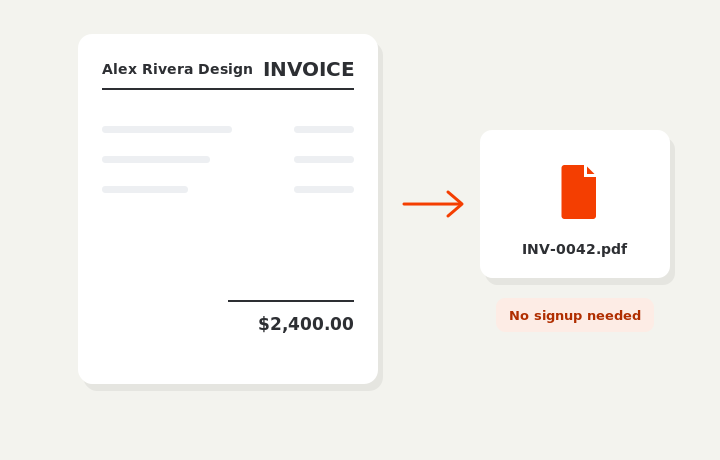
Download or send
Download a clean PDF, or sign in and email it straight to your client.