Free handyman invoice template
Bill labor and materials on separate lines, add the job address, and hand the customer a clear invoice before you leave. Free PDF, no signup to download.
| Description | Qty | Rate | Tax | Amount | |
|---|---|---|---|---|---|
| $0.00 |
| Subtotal | $0.00 |
| Total | $0.00 |
Email this invoice
Sends a PDF attachment to your client. Replies come back to you.
Save your invoice — for free
Create a free account (or log in) to keep billing without starting over.
New here? We’ll create your account automatically.
Your invoice is downloading
Check your downloads folder for 20260812_INV-0001.pdf. Thanks for using BillCrafter!
Sign this invoice
Draw your signature below. It’s embedded into the PDF and stored with a signing record.
My invoices
Click Save to store the current one.
The parts of an invoice, labelled.
A complete invoice has nine parts. The editor above has a field for every one — here's where each sits on the finished document.
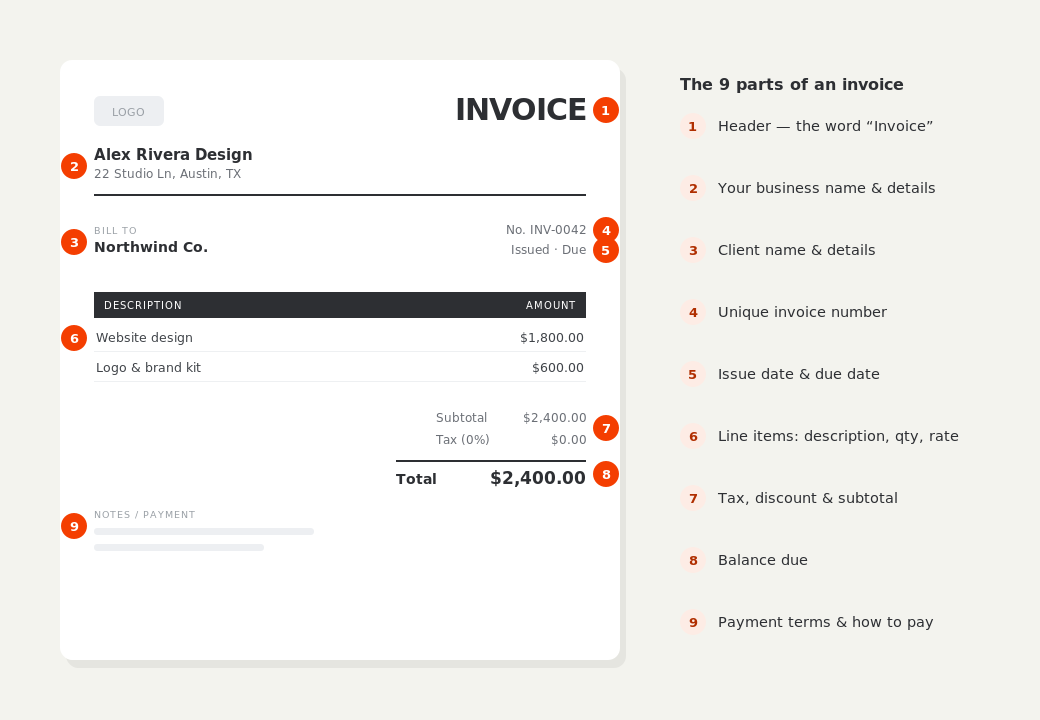
What to put on this invoice.
Miss one of these and the document usually comes back with a question attached. Everything here is a field in the editor above.
- The job address, and the customer's billing details
- Hours worked, at your hourly or half-day rate
- Materials bought for the job, with what they were for
- Each task listed separately when you did several
- Any minimum call-out charge, stated as its own line
- What you'll come back for, if the job isn't finished
One visit, several jobs — list them all
A homeowner who asked you to fix a door, hang two shelves and reseal a bath does not want to see “3 hrs labor — $225”. Listing the three tasks, even against a single labor line, is what makes an invoice feel worth its price: the customer reads a list of things that are now fixed rather than a number attached to your time. It also protects you when they remember a fourth job they meant to mention — the document shows exactly what was agreed and done.
Materials at cost, marked up, or reimbursed — just be consistent
All three are normal in handyman work. What causes friction is switching between them without saying so, or hiding a markup inside a labor line. Put materials under their own heading with a short note of what they were, keep receipts for anything substantial, and if you mark up, apply the same percentage every time. Many US states tax materials but not labor, or tax them at different rates, which is another reason to keep them structurally separate rather than blended.
Invoice before you leave the driveway
The single biggest predictor of getting paid quickly on small residential jobs is handing over the invoice while you're still there, or emailing it from the van. Memory of the work is fresh, the customer is standing next to the thing you fixed, and nobody has to be chased. BillCrafter works in a phone browser, so you can fill in the lines, attach a photo of the finished job, and send the PDF before you pull away — no app to install and nothing to type up later at the kitchen table.
Handyman invoice template — common questions.
Should I have a minimum call-out charge?
Most handymen do — commonly one or two hours' labor — because travel and setup cost the same whether the job takes ten minutes or ninety. Put it on the invoice as its own line rather than inflating the hourly rate, and tell customers the minimum when you book, not when you bill.
Do I need a license to invoice as a handyman?
You can invoice as a sole proprietor under your own name anywhere. Whether you need a contractor's license depends on your state and the value and type of the work — many states set a dollar threshold above which a license is required, and electrical and plumbing are usually licensed separately. Check with your state licensing board.
How should I charge — hourly or per job?
Hourly suits unpredictable repair work and is easy to explain. Flat per job suits anything you've done fifty times and can price from memory, and it protects your margin when you're fast. Many handymen do both: hourly for diagnosis and odd jobs, flat for known installations.
BillCrafter is a document tool, not an accounting or legal service. Tax and contract rules vary by country and state — check anything material with a qualified professional.
What the official guidance says
“Your invoice must include a unique identification number, your company name, address and contact information [and] the total amount owed.”
— GOV.UK, “Invoices — what they must include”
Requirements differ by country, but the essentials are consistent: a unique invoice number, the seller and the buyer, an itemized description, the amount due, and clear payment terms. Every BillCrafter template is built around those fields. The primary sources we follow are below.
- GOV.UK — Invoicing and taking payment from customers — The UK government’s list of what every invoice must legally include.
- IRS — Recordkeeping for small business — US guidance on the invoices and receipts you should keep, and for how long.
- U.S. Small Business Administration — Manage your finances — Bookkeeping, accounts receivable and getting paid as a small business.
Other documents you can create free.
Make one now. Sign in to keep it.
Handyman work is many small jobs, often several in one visit. This template keeps hours and materials apart, itemizes each task, and prints something a homeowner can read without calling to ask what a line means.
1 · Make your first invoice free
Start typing on the document right now — no account, no card, nothing to install. Fill in your details and download a polished PDF in under two minutes. Your first export is on us.
2 · Sign in and it’s saved
A free account keeps your business details, clients and every past invoice in the cloud — so the next one takes seconds, from any device. Free accounts get 5 exports a month.
3 · Pick from 45 templates
Eight distinct layouts, twelve accent colors, and presets for freelance, contracting, consulting, photography and more — plus estimates, quotes and receipts. Browse the library.
Three steps to a paid invoice.
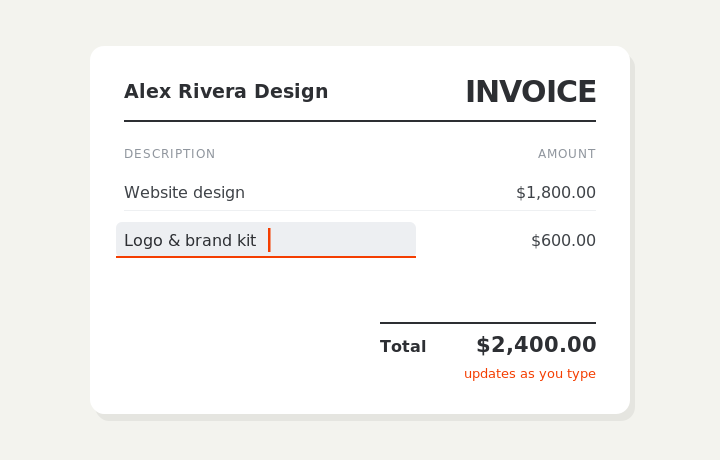
Type on the invoice
Fill in your business, client, and line items right on the document. Totals and tax calculate live as you type.
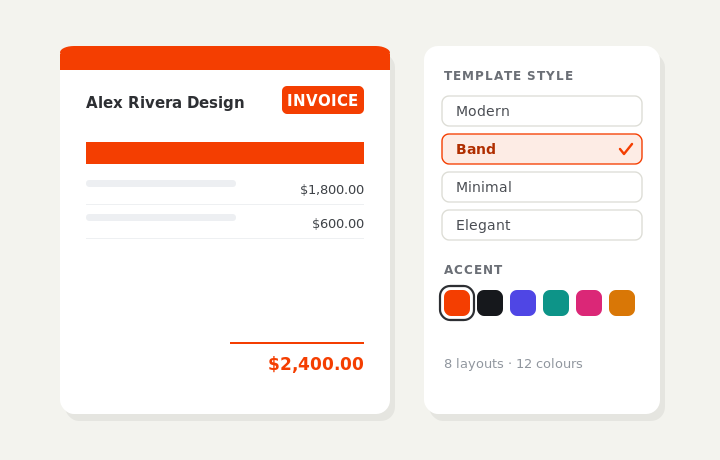
Customize & preview
Upload your logo, pick one of eight layouts and a color — the invoice you see is exactly what downloads.
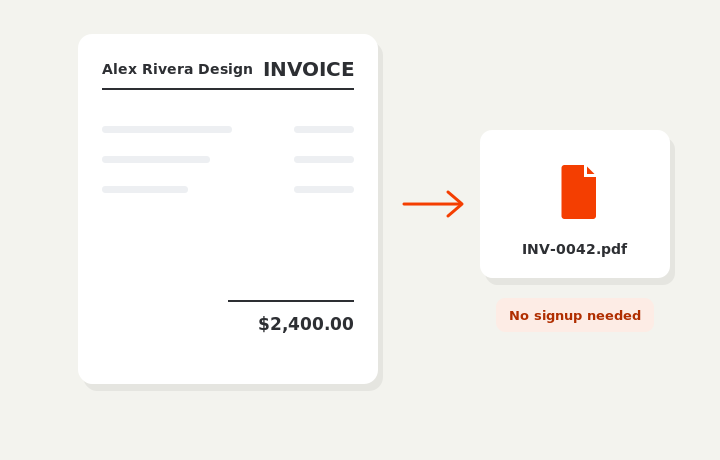
Download or send
Download a clean PDF, or sign in and email it straight to your client.