Progress billing invoice generator
Bill a big job in stages — deposit, milestones, final payment — with a schedule the client can see on every invoice. Free, no signup to download.
| Description | Qty | Rate | Tax | Amount | |
|---|---|---|---|---|---|
| $0.00 |
| Subtotal | $0.00 |
| Total | $0.00 |
Email this invoice
Sends a PDF attachment to your client. Replies come back to you.
Save your invoice — for free
Create a free account (or log in) to keep billing without starting over.
New here? We’ll create your account automatically.
Your invoice is downloading
Check your downloads folder for 20260801_INV-0001.pdf. Thanks for using BillCrafter!
Sign this invoice
Draw your signature below. It’s embedded into the PDF and stored with a signing record.
My invoices
Click Save to store the current one.
The parts of an invoice, labelled.
A complete invoice has nine parts. The editor above has a field for every one — here's where each sits on the finished document.
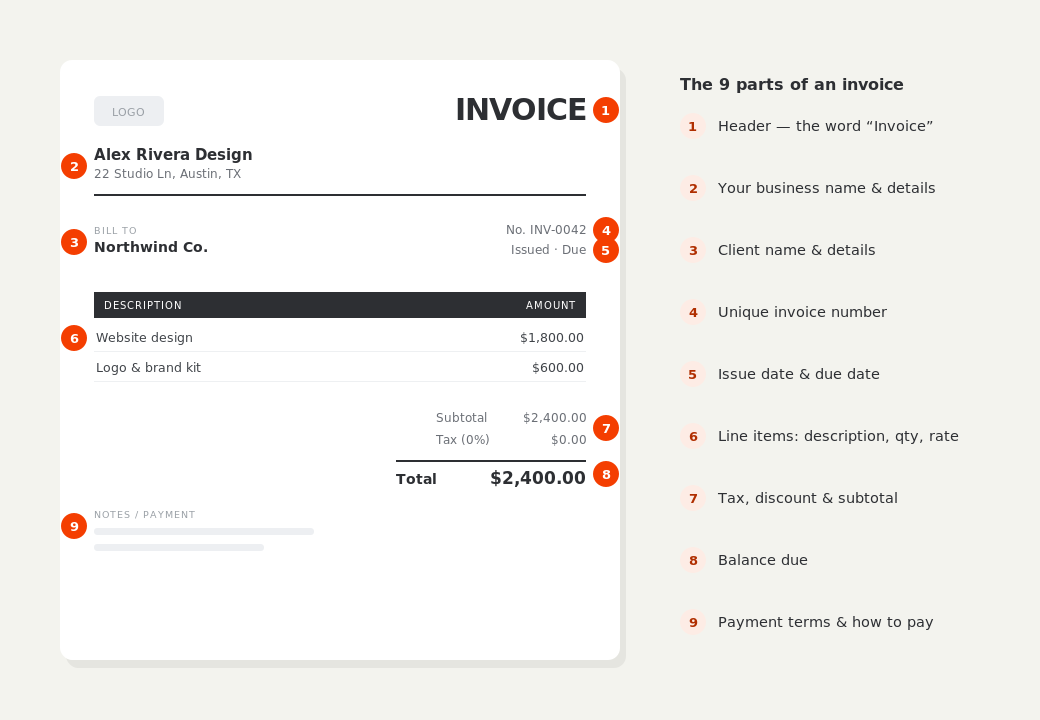
What to put on this invoice.
Miss one of these and the document usually comes back with a question attached. Everything here is a field in the editor above.
- Which milestone this invoice covers, named plainly
- The full payment schedule — every stage, its amount, and status
- What was completed to trigger this payment
- Amounts already paid on earlier milestones
- The job site address and any permit or contract reference
- The balance remaining after this payment
Tie every payment to something the client can see
The strongest progress schedules bill on visible milestones, not calendar dates: cabinets installed, rough-in inspection passed, drywall complete. A client who can walk through the site and see the milestone met pays without argument; a client billed “30% — month two” starts asking questions. Name the milestone on the invoice line itself — “Progress payment 2 of 3 — cabinets installed” — so the document reads as a record of work done, not just a demand for money.
Put the whole schedule on every invoice
Each progress invoice should show the full plan: every stage, its amount, and which ones are already paid. BillCrafter's payment schedule block prints this as a small table on the document, so the client never has to reconstruct the arithmetic from a stack of PDFs. The current invoice bills its own milestone; the schedule shows where it fits. This one habit eliminates most mid-project billing disputes — both sides always see the same running picture.
Keep the final payment meaningful, not painful
A final payment of 10–20% held to completion protects the client and motivates the finish — but don't let it swell. If the last milestone is 40% of a large job, you're financing the project and carrying all the risk of a slow punch list. Front-load materials into early milestones, keep the final stage small enough that a dispute over it won't hurt you, and invoice it the day the walkthrough is done, with the completed-work photos on the invoice if you have them.
Progress billing invoice generator — common questions.
How is progress billing different from a deposit?
A deposit is paid before work starts to secure the job. Progress billing continues through the job: each invoice bills a completed stage. Most large projects use both — a deposit up front, then progress invoices at milestones, then a final payment on completion.
What schedule should I propose?
A common shape for a mid-size job is 30% deposit, one or two milestone payments of 25–30% each, and a 10–20% final on completion. Match milestones to visible stages of the work, and put the schedule in your quote so the client agrees to it before you start.
How do I show what's already been paid?
Enter prior payments in the “Amount paid” field — the invoice shows total, paid, and balance due. Mark paid milestones in the schedule block too (e.g. “1 · Deposit — paid”), so the whole history is visible on one document.
BillCrafter is a document tool, not an accounting or legal service. Tax and contract rules vary by country and state — check anything material with a qualified professional.
What the official guidance says
“Your invoice must include a unique identification number, your company name, address and contact information [and] the total amount owed.”
— GOV.UK, “Invoices — what they must include”
Requirements differ by country, but the essentials are consistent: a unique invoice number, the seller and the buyer, an itemized description, the amount due, and clear payment terms. Every BillCrafter template is built around those fields. The primary sources we follow are below.
- GOV.UK — Invoicing and taking payment from customers — The UK government’s list of what every invoice must legally include.
- IRS — Recordkeeping for small business — US guidance on the invoices and receipts you should keep, and for how long.
- U.S. Small Business Administration — Manage your finances — Bookkeeping, accounts receivable and getting paid as a small business.
Other documents you can create free.
Make one now. Sign in to keep it.
Remodels, builds and long projects rarely bill once at the end. Progress billing invoices each completed stage as you go, keeps cash flowing during the job, and shows the client exactly where every payment sits in the overall plan.
1 · Make your first invoice free
Start typing on the document right now — no account, no card, nothing to install. Fill in your details and download a polished PDF in under two minutes. Your first export is on us.
2 · Sign in and it’s saved
A free account keeps your business details, clients and every past invoice in the cloud — so the next one takes seconds, from any device. Free accounts get 5 exports a month.
5 · Pick from 45 templates
Eight distinct layouts, twelve accent colors, and presets for freelance, contracting, consulting, photography and more — plus estimates, quotes and receipts. Browse the library.
Three steps to a paid invoice.
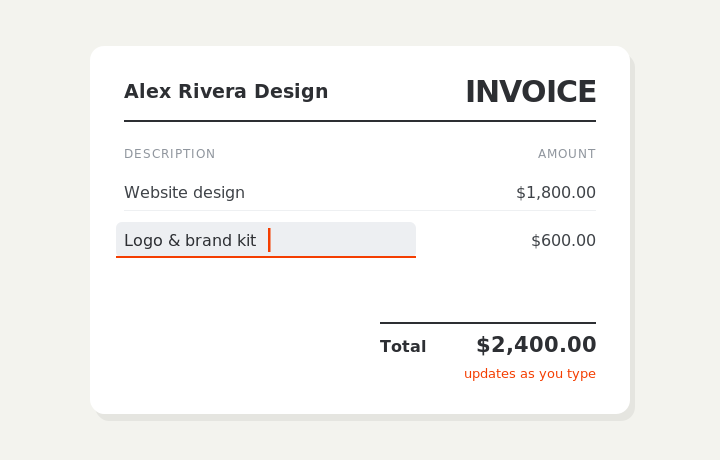
Type on the invoice
Fill in your business, client, and line items right on the document. Totals and tax calculate live as you type.
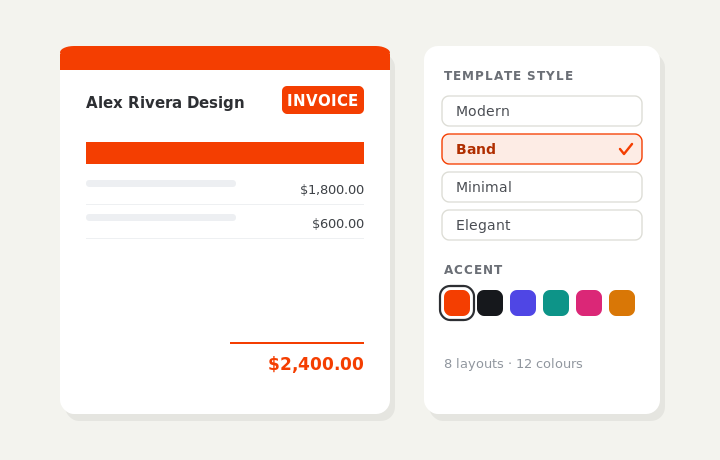
Customize & preview
Upload your logo, pick one of eight layouts and a color — the invoice you see is exactly what downloads.
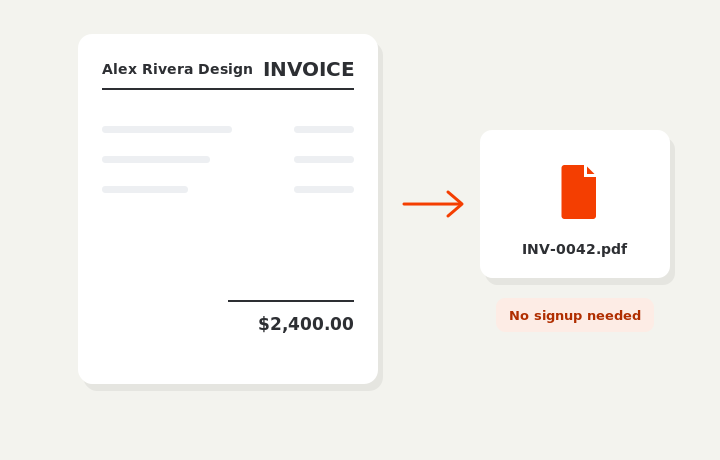
Download or send
Download a clean PDF, or sign in and email it straight to your client.