Free bill generator
Make a bill for any product or service in seconds — itemize what's owed, add tax, and download a clean PDF or print it. Free online bill generator, no signup to download.
| Description | Qty | Rate | Tax | Amount | |
|---|---|---|---|---|---|
| $0.00 |
| Subtotal | $0.00 |
| Total | $0.00 |
Email this invoice
Sends a PDF attachment to your client. Replies come back to you.
Save your invoice — for free
Create a free account (or log in) to keep billing without starting over.
New here? We’ll create your account automatically.
Your invoice is downloading
Check your downloads folder for 20260728_INV-0001.pdf. Thanks for using BillCrafter!
Sign this invoice
Draw your signature below. It’s embedded into the PDF and stored with a signing record.
My invoices
Click Save to store the current one.
The parts of an invoice, labelled.
A complete invoice has nine parts. The editor above has a field for every one — here's where each sits on the finished document.
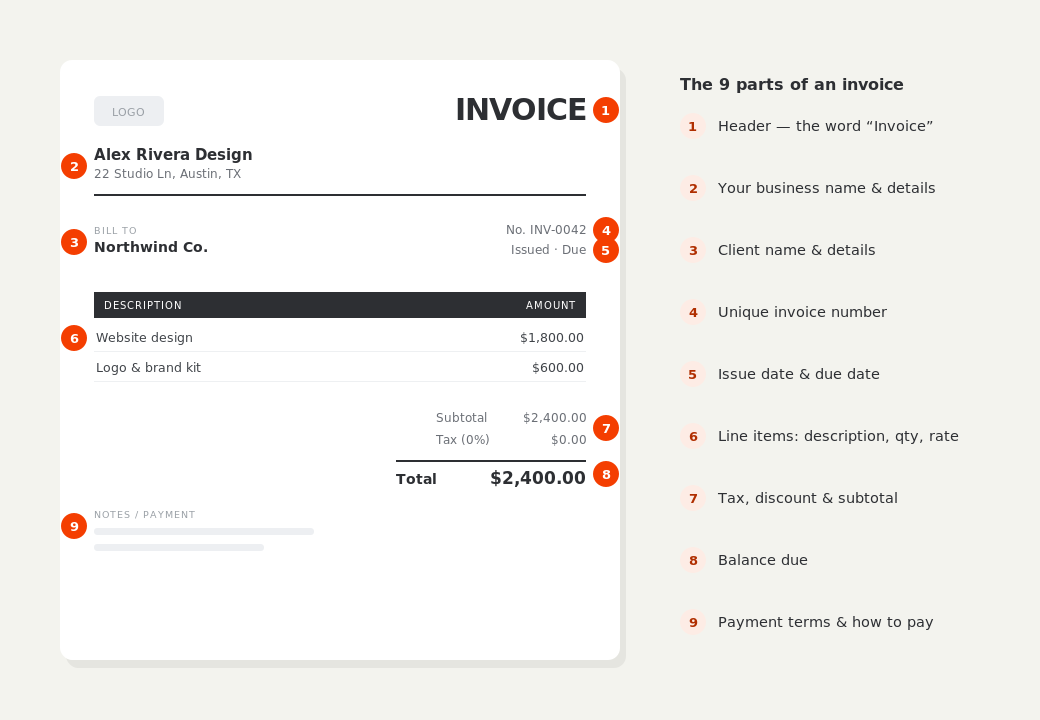
What to put on this invoice.
Miss one of these and the document usually comes back with a question attached. Everything here is a field in the editor above.
- Your business or shop name and contact details
- The customer's name
- Each item or service with quantity and price
- Any tax or GST, shown as its own line
- The total amount payable
- A bill number and the date
- How to pay — cash, card, transfer or link
“Bill” and “invoice” are the same thing
The word you use is mostly regional and situational. A shop hands a customer a bill; a business emails another business an invoice; both documents do the identical job — they list what's owed and request payment. There's no format difference and no legal distinction in most places. So a bill generator and an invoice generator are the same tool: this one produces a document you can head “Bill” or “Invoice” and use exactly the same way.
Cash bills and instant printing
For a shop or market stall the bill is often handed over on the spot, so it needs to print cleanly and total correctly the first time. Itemize each product with quantity and unit price, let the total add itself up, and add tax or GST as a separate line where you charge it. Download the PDF and print, or hand the customer a digital copy — either way they have a clear record of what they paid for, which cuts down returns disputes.
Keep a copy of every bill you raise
Whether you call it a bill or an invoice, you should keep a copy of each one. It's what lets you reconcile takings at the end of the day or the month, and it's what your accountant and tax authority expect to see. A free BillCrafter account stores every bill you save, so you're not rebuilding the month from memory — and repeat customers can be billed again by duplicating an earlier document rather than starting over.
Bill generator — common questions.
Is a bill the same as an invoice?
Yes, in practice. Both list goods or services and the amount owed, and both request payment. “Bill” is more common face-to-face and in retail; “invoice” is more common business-to-business. The document itself is the same, which is why one generator makes both.
Can I make a GST or tax bill?
Yes. Add your tax or GST as a separate line at the rate you charge, and it's shown clearly on the total. Set the label and rate to match your country's requirement — the tool applies whatever you enter, including none.
Can I print the bill?
Yes. Download the PDF and print it, or use your browser's print option directly. The layout is built to print cleanly on standard paper without anything being clipped.
BillCrafter is a document tool, not an accounting or legal service. Tax and contract rules vary by country and state — check anything material with a qualified professional.
What the official guidance says
“Your invoice must include a unique identification number, your company name, address and contact information [and] the total amount owed.”
— GOV.UK, “Invoices — what they must include”
Requirements differ by country, but the essentials are consistent: a unique invoice number, the seller and the buyer, an itemized description, the amount due, and clear payment terms. Every BillCrafter template is built around those fields. The primary sources we follow are below.
- GOV.UK — Invoicing and taking payment from customers — The UK government’s list of what every invoice must legally include.
- IRS — Recordkeeping for small business — US guidance on the invoices and receipts you should keep, and for how long.
- U.S. Small Business Administration — Manage your finances — Bookkeeping, accounts receivable and getting paid as a small business.
Other documents you can create free.
Make one now. Sign in to keep it.
Generate a bill for a customer, shop sale or service in minutes. A bill and an invoice are the same document under two names — list what's owed, apply tax, and hand over a professional PDF the customer can pay from.
1 · Make your first invoice free
Start typing on the document right now — no account, no card, nothing to install. Fill in your details and download a polished PDF in under two minutes. Your first export is on us.
2 · Sign in and it’s saved
A free account keeps your business details, clients and every past invoice in the cloud — so the next one takes seconds, from any device. Free accounts get 5 exports a month.
5 · Pick from 45 templates
Eight distinct layouts, twelve accent colors, and presets for freelance, contracting, consulting, photography and more — plus estimates, quotes and receipts. Browse the library.
Three steps to a paid invoice.
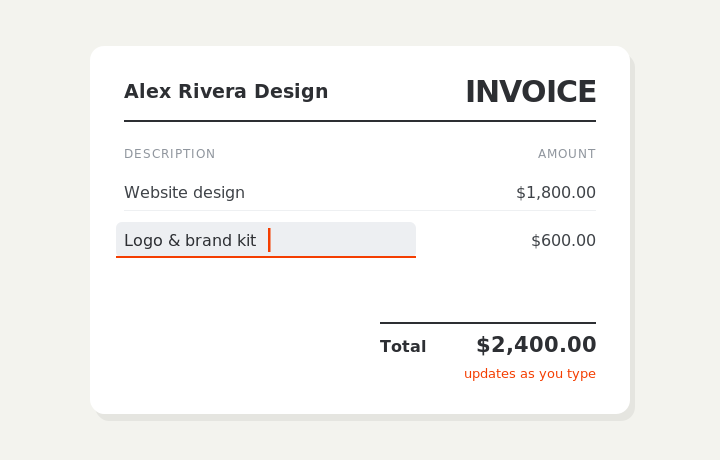
Type on the invoice
Fill in your business, client, and line items right on the document. Totals and tax calculate live as you type.
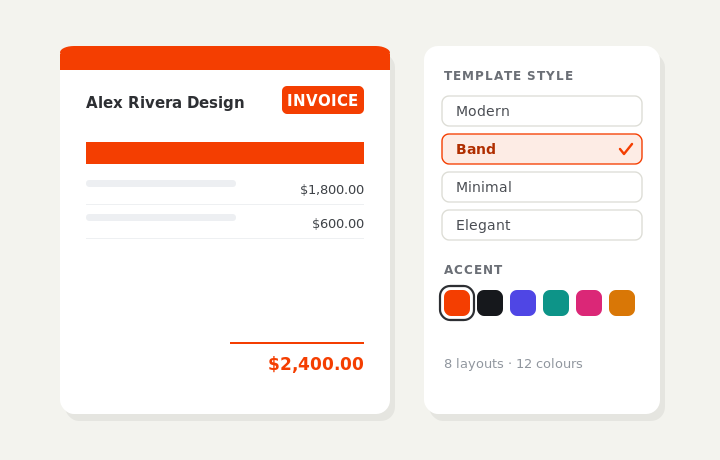
Customize & preview
Upload your logo, pick one of eight layouts and a color — the invoice you see is exactly what downloads.
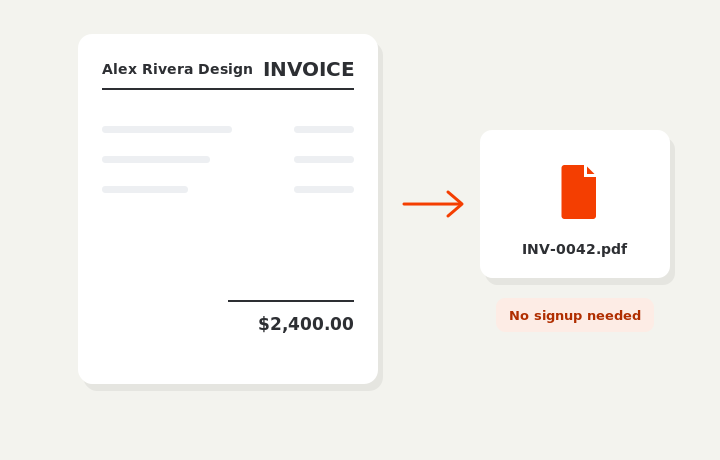
Download or send
Download a clean PDF, or sign in and email it straight to your client. Word and Excel export are available on Pro.