Free proforma invoice generator
Create a proforma invoice before the sale is final — quote the goods, quantities and price so your buyer can arrange payment, financing or customs. Download a clean PDF.
| Description | Qty | Rate | Tax | Amount | |
|---|---|---|---|---|---|
| $0.00 |
| Subtotal | $0.00 |
| Total | $0.00 |
Email this invoice
Sends a PDF attachment to your client. Replies come back to you.
Save your invoice — for free
Create a free account (or log in) to keep billing without starting over.
New here? We’ll create your account automatically.
Your invoice is downloading
Check your downloads folder for 20260728_INV-0001.pdf. Thanks for using BillCrafter!
Sign this invoice
Draw your signature below. It’s embedded into the PDF and stored with a signing record.
My invoices
Click Save to store the current one.
The parts of an invoice, labelled.
A complete invoice has nine parts. The editor above has a field for every one — here's where each sits on the finished document.
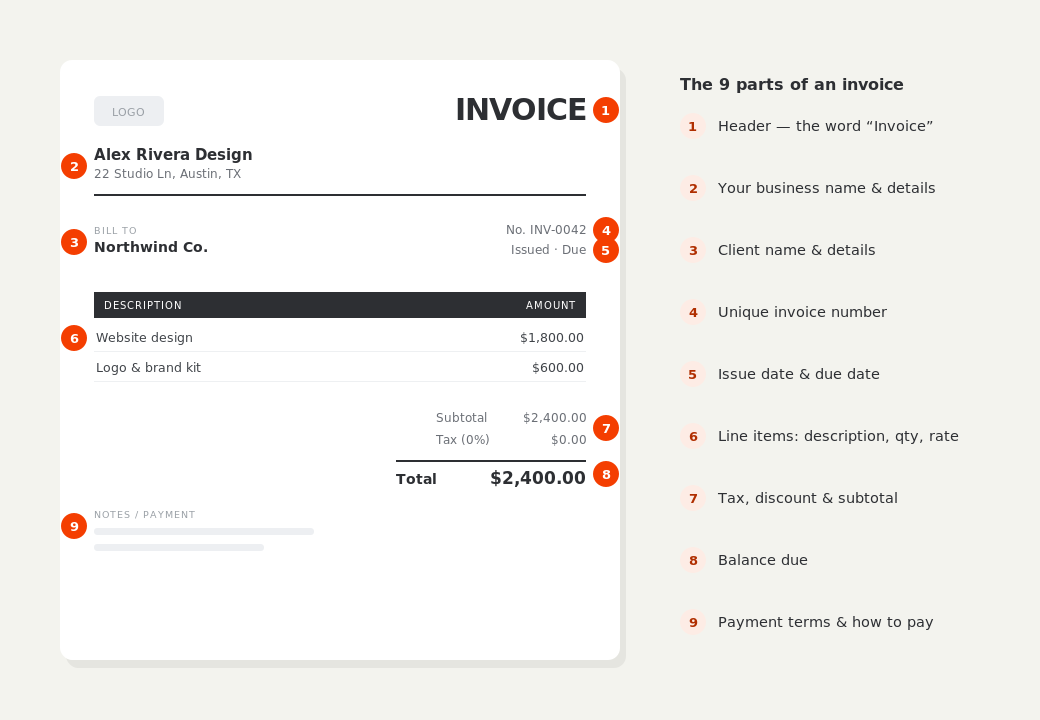
What to put on this invoice.
Miss one of these and the document usually comes back with a question attached. Everything here is a field in the editor above.
- The words “Proforma invoice”, clearly labelled
- Your business details and the buyer's details
- A description of the goods or services and quantities
- The agreed unit price and total, in the sale currency
- Any tax, shipping or handling shown separately
- A validity date and the payment terms
- For exports: country of origin and delivery terms (Incoterms)
A proforma invoice is a quote that looks like an invoice
It states exactly what will be supplied, in what quantity, at what price — but it is not a demand for payment and it does not go into your books as a sale. That distinction matters: a proforma should never be entered as accounts receivable, and a buyer cannot use it to reclaim VAT or sales tax. Its job is to give the buyer's purchasing or finance team a document firm enough to raise a purchase order, release an advance payment, or open a letter of credit, before the real commercial invoice exists.
Where proforma invoices are actually used
Three situations account for most of them. First, advance payment: a supplier who wants money up front sends a proforma so the customer can pay before production or shipping. Second, international trade: customs authorities and freight forwarders often need a proforma to estimate duties and clear a shipment before the final invoice is cut. Third, internal approval: a buyer whose company requires a formal document to authorise spend gets a proforma to push the PO through. In all three, the price and terms should match what the final invoice will say.
Turning the proforma into a commercial invoice
Once the buyer approves and the goods ship or the work is done, you issue the real commercial invoice — the one that carries a proper invoice number, books as revenue, and supports tax. Keep the numbers identical unless something genuinely changed; a final invoice that silently differs from the proforma the buyer approved is how payment disputes start. In BillCrafter you can duplicate the proforma, relabel it, and give it its sequential invoice number, so nothing gets retyped.
Proforma invoice generator — common questions.
What is the difference between a proforma invoice and a commercial invoice?
A proforma is a preliminary document sent before the sale is complete — a firm quote the buyer can act on. A commercial invoice is the final, legally-recognized request for payment that books as revenue and supports tax. The proforma is not recorded as a sale and cannot be used to reclaim VAT.
Is a proforma invoice legally binding?
Generally no — it doesn't create a payment obligation the way a commercial invoice does. It's a good-faith statement of price and terms. That's exactly why it's used before the buyer has committed. Rules vary by country, so treat this as general guidance.
Do I put an invoice number on a proforma?
Label it clearly as a proforma and, if you number them, keep that sequence separate from your real invoice numbers so the two never get confused at reconciliation. The binding invoice number goes on the commercial invoice you issue afterwards.
BillCrafter is a document tool, not an accounting or legal service. Tax and contract rules vary by country and state — check anything material with a qualified professional.
What the official guidance says
“Your invoice must include a unique identification number, your company name, address and contact information [and] the total amount owed.”
— GOV.UK, “Invoices — what they must include”
Requirements differ by country, but the essentials are consistent: a unique invoice number, the seller and the buyer, an itemized description, the amount due, and clear payment terms. Every BillCrafter template is built around those fields. The primary sources we follow are below.
- GOV.UK — Invoicing and taking payment from customers — The UK government’s list of what every invoice must legally include.
- IRS — Recordkeeping for small business — US guidance on the invoices and receipts you should keep, and for how long.
- U.S. Small Business Administration — Manage your finances — Bookkeeping, accounts receivable and getting paid as a small business.
Other documents you can create free.
Make one now. Sign in to keep it.
A proforma invoice is a preliminary bill of sale sent before goods or services are delivered. Use it to give a buyer a firm price to approve, to support an advance payment, or to accompany an international shipment — then convert it to a commercial invoice once the deal is done.
1 · Make your first invoice free
Start typing on the document right now — no account, no card, nothing to install. Fill in your details and download a polished PDF in under two minutes. Your first export is on us.
2 · Sign in and it’s saved
A free account keeps your business details, clients and every past invoice in the cloud — so the next one takes seconds, from any device. Free accounts get 5 exports a month.
5 · Pick from 45 templates
Eight distinct layouts, twelve accent colors, and presets for freelance, contracting, consulting, photography and more — plus estimates, quotes and receipts. Browse the library.
Three steps to a paid invoice.
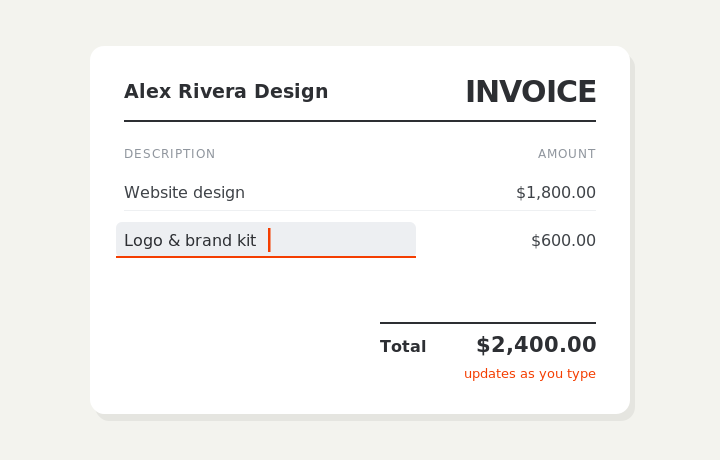
Type on the invoice
Fill in your business, client, and line items right on the document. Totals and tax calculate live as you type.
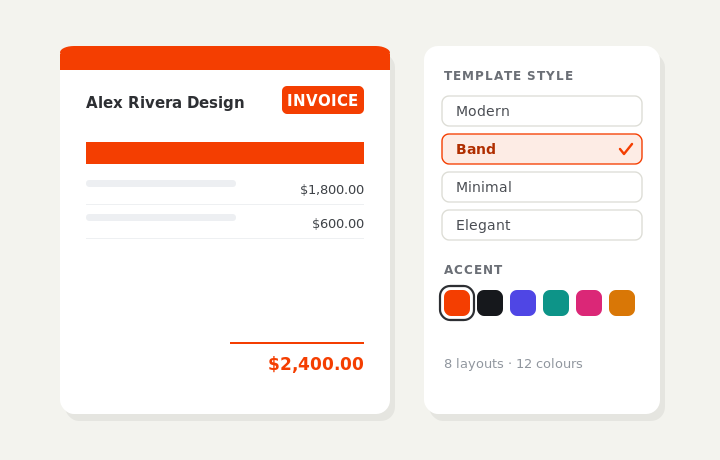
Customize & preview
Upload your logo, pick one of eight layouts and a color — the invoice you see is exactly what downloads.
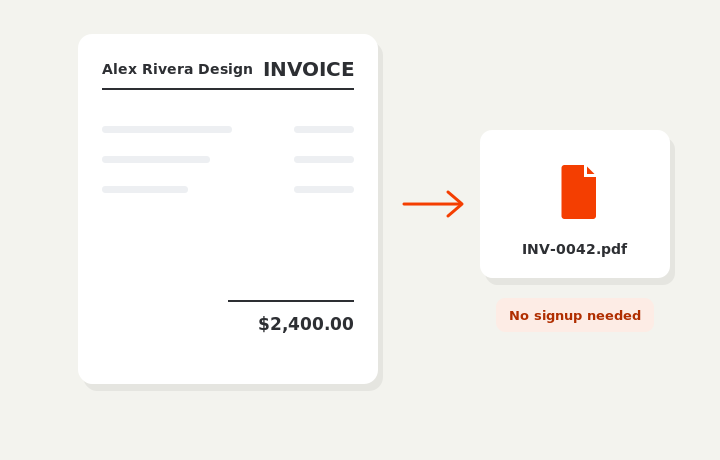
Download or send
Download a clean PDF, or sign in and email it straight to your client. Word and Excel export are available on Pro.